How to Get Internet Installed in Mexico
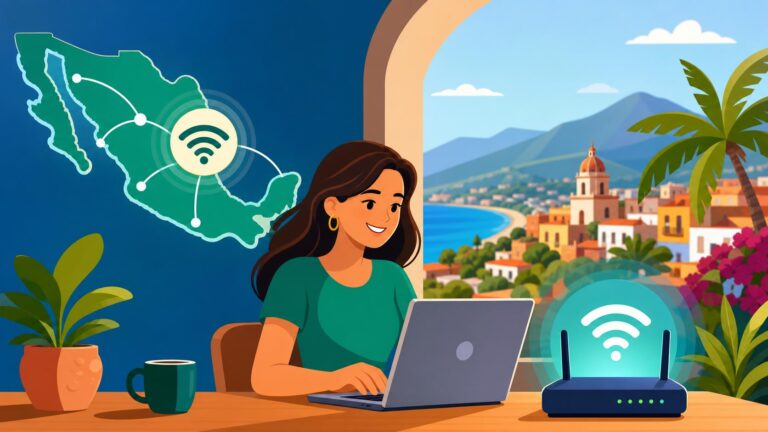
Stepping into your new Mexican home for the first time is an exhilarating rush, until the silence of a lack of connectivity hits you. I remember my first week in Querétaro, sitting on a packing crate, desperately trying to catch a stray signal from the street just to tell my family I’d arrived. This guide solves the labyrinthine process of getting a reliable home internet connection so you don't have to spend your first month at the local Starbucks.
Disclosure: This post may contain affiliate links. We may earn a commission at no extra cost to you if you make a purchase through these links. Read full disclosure.
Understanding the Mexican Internet Landscape
The digital infrastructure in Mexico has leaped forward over the last few years, but it remains a patchwork quilt of high-speed fiber optics and aging copper wires. When you first arrive, you’ll likely hear the same three or four names: Telmex, Totalplay, Izzi, and Megacable. Each has its own fiefdom, and depending on which colonia (neighborhood) you’ve chosen, your options might be limited to just one provider or a choice of four.
The most important thing to realize is that "availability" is a hyper-local concept here. Just because your neighbor across the street has 500 Mbps fiber doesn't mean your side of the street is wired for it. I learned this the hard way when I moved into a beautiful colonial home in Mérida only to find out the fiber lines didn't reach my specific block because of historical building restrictions. This is where you have to become a bit of a detective, looking at the cables hanging from the poles outside your front door to see which company’s boxes are nearby.
If you are currently in the process of moving and haven't quite settled into a permanent spot, you might find yourself working out of a Selina location. These co-living and coworking spaces are lifesavers for digital nomads because they provide the one thing that can be hardest to find in a fresh rental: a guaranteed, high-speed connection that actually works the moment you check in. It’s a great bridge while you wait for the technician to finally show up at your new apartment.
The Big Players: Who Offers What
Telmex is the legacy provider, owned by Carlos Slim. They rebranded their internet service as "Infinitum." For a long time, they were the only game in town, which led to some rather legendary stories of poor customer service. However, they have been aggressively laying fiber (FTTH) across major cities. Their biggest advantage is their ubiquity; if a house has a phone line, it can usually get Telmex. Their packages often include Disney+ or Netflix, which adds a bit of value if you’re looking for an all-in-one entertainment bundle.
Totalplay is currently the darling of the expat community and heavy internet users. They were the first to go all-in on fiber optics, and their speeds are generally the most consistent. I’ve used them in three different cities, and the ping rates are usually low enough for gaming or seamless Zoom calls. They also offer a very decent television package, but their customer service, while better than the old-school Telmex, can still be a bit of a bureaucratic maze if you need a physical repair.
Izzi and Megacable are primarily cable companies that offer internet through coaxial lines (though they are moving toward fiber). Izzi is massive in Mexico City and the surrounding states. If you’re living in a high-rise in Polanco or Roma, Izzi is often the default provider. Their speeds are competitive, but during peak hours in densely populated areas, you might notice a slight dip in performance compared to dedicated fiber. Knowing the Cost of Living in Mexico City (2026): Detailed Expat Budget Guide will help you factor these utility costs into your monthly spending.
The Requirements for Installation
In Mexico, the "Comprobante de Domicilio" (proof of address) is the holy grail of paperwork. You cannot get internet installed without it. This is a bit of a Catch-22 for new arrivals: you need a utility bill in your name to get things done, but you just moved in and don't have any bills yet. Usually, a copy of your lease agreement and a recent electricity bill (CFE) in the landlord's name will suffice. Just make sure the address on the bill matches your lease exactly, down to the last digit of the interior apartment number.
Beyond the proof of address, you will need identification. Most companies will insist on your residency card (Temporary or Permanent). If you are still on a tourist visa, you might find it much harder to get a post-paid contract. Some providers will allow you to sign up with a passport, but they may ask for a larger upfront deposit or a credit card from a Mexican bank. If you are struggling with the residency part, check out Mexico Temporary Resident Visa: Comprehensive Guide for Expats (2026 Update) for a breakdown of how to get your legal status sorted.
Lastly, you will need a Mexican phone number. The technician will call you—often multiple times—to confirm the appointment and to find your house. Addresses in Mexico can be notoriously difficult to navigate, with "between street X and street Y" being a common requirement for directions. If you haven't set up your local SIM yet, using a service like Airalo to get an immediate eSIM with data is a smart move so you aren't stuck without a way to communicate with the installer while you're waiting at an empty house.
Documents Checklist for the Service Center
| Document | Requirement | Why It Matters |
|---|---|---|
| Identification | Residency Card or Passport | To verify your legal identity for the contract. |
| Proof of Address | CFE (Electricity) or Water Bill | To prove the service can be physically installed there. |
| Lease Agreement | Signed Copy | Proves you have the right to install services at the property. |
| RFC (Tax ID) | Optional but recommended | Necessary if you want to request a formal tax invoice (factura). |
| Mexican Phone Number | Active SIM | For the technician to coordinate the installation. |
Step-by-Step Guide to the Installation Process
The first step is checking for coverage. You can do this on the provider's website, but be warned: their online maps are often aspirational rather than factual. The best way is to visit a physical service center (a sucursal) in person. There is something about being physically present that makes the employees more likely to give you the real story about whether fiber is available on your block. It also gives you a chance to practice your Spanish, which you’ll find is essential for navigating Healthcare in Mexico: Complete Guide for Expats (Public vs Private) and other vital services later on.
Once you’ve picked a plan and signed the contract, you’ll be given an installation window. In the US or Europe, this might be a 2-hour slot. In Mexico, it’s usually "between 9 AM and 2 PM" or "2 PM and 6 PM." In reality, you should clear your entire day. Technicians often run late due to the complexities of Mexican wiring—sometimes they have to run a cable three houses down just to find an open port on a distribution box. If they arrive and you aren't there, getting them to come back can take another week.
When the technician arrives, be prepared to guide them. They will often want to take the path of least resistance, which might mean drilling a hole through a front-facing wall or stringing a cable across a courtyard in an unsightly way. If you have specific preferences for where the router should go, speak up early. Also, check the signal strength in your bedroom or office before they leave. Thick concrete and rebar walls (common in Mexican construction) are notorious for killing Wi-Fi signals. You might need to buy a mesh system or a signal booster, especially if you're living in a larger home.
Navigating the Language Barrier
If your Spanish is still a work in progress, having a friend or a neighbor help you during the installation is invaluable. Technicians often use technical slang that isn't found in a standard dictionary. For instance, they might talk about the "mufa" (the entry point for cables) or the "poste" (the utility pole). If you’re doing it solo, have a translation app ready.
A common issue during installation is finding a clear path through the existing conduits in the walls. Many older Mexican homes have conduits that are clogged with decades of old wiring or even construction debris. If the technician can't "fish" the line through, they might tell you it's impossible. This is where a little bit of patience and perhaps a cold soda can go a long way. Being friendly and hospitable—typical of Mexican culture—often encourages the technician to try a bit harder to find a creative solution rather than just giving up.
Costs and Billing Expectations
The cost of internet in Mexico is surprisingly affordable compared to many Western countries. A solid 100 Mbps fiber connection usually runs between 400 and 600 pesos per month ($23 to $35 USD). If you want 500 Mbps or 1 Gbps, you might pay closer to 1,000 or 1,200 pesos. Most companies do not charge for the modem/router itself, as it remains the property of the company, but there is often a one-time "gastos de instalación" (installation fee) that might be waived if you agree to a 12-month contract.
Billing is typically done monthly. You will receive a digital invoice via email, but you can also download the provider's app to pay. If you prefer the old-school way, you can take your account number to any OXXO convenience store and pay in cash for a small fee. This is a very common practice in Mexico. However, be careful with "automatic" payments tied to foreign credit cards; sometimes the Mexican banking system rejects them without warning, leading to a sudden loss of service. It’s often safer to pay manually through the app each month.
If you are moving your belongings from abroad and have high-end networking equipment like Ubiquiti routers or specialized servers, make sure you use a reputable moving service like Sirelo to ensure your gear arrives intact. While the standard routers provided by Mexican ISPs are getting better, they still struggle with the thick stone walls of traditional Mexican architecture. Bringing your own high-powered mesh system can make a world of difference in a large villa or a multi-story colonial home.
Comparing Popular Plans (Approximate 2026 Pricing)
| Provider | Speed | Monthly Cost (MXN) | Best For |
|---|---|---|---|
| Totalplay | 100 Mbps | $459 | General use, great fiber reliability. |
| Telmex | 60 Mbps | $389 | Budget-conscious, widely available. |
| Izzi | 100 Mbps | $480 | Bundling with cable TV in major cities. |
| Starlink | ~150 Mbps | $1,100 | Rural areas, beach towns, and mountains. |
What to Do When the Internet Goes Down
Outages happen. Whether it's a tropical storm in Puerto Vallarta or a construction crew accidentally severing a line in Mexico City, you will eventually face a "Sin Señal" (no signal) situation. The first step is always the "unplug and wait" maneuver, but if that fails, you’ll need to contact support. Most companies now have a WhatsApp support line, which is significantly easier than trying to navigate a phone tree in Spanish. You can use a translator to type your message, and you can even send photos of the flashing lights on your modem.
If the outage is widespread, the provider's app will usually show a notification. If it's just you, a technician visit will be required. This is where the frustration can peak. It’s not uncommon for a technician to be scheduled for "tomorrow" and then fail to show up for three days. My advice? Be persistent but polite. Calling every morning to confirm your appointment is often necessary. This is just part of the Settling in Mexico: Step-by-Step Guide to Your First 30 Days as an Expat experience—learning to roll with the bureaucratic punches.
For those whose livelihoods depend on a 100% uptime, I always recommend a backup. A local SIM with a generous data plan is a must. If you live in a particularly unstable area, investing in Starlink as a secondary connection is becoming increasingly popular among expats. It’s more expensive, but the peace of mind knowing you can still work even if the local fiber line is cut is worth every peso.
Specialized Options: Starlink and 5G Home Internet
In recent years, Starlink has become a game-changer for expats living in more remote locations like the mountains of Chiapas or the beaches of Baja. If you are living somewhere that isn't reached by the big fiber providers, Starlink is your best bet. The equipment is shipped to your door, and the setup is "plug and play." You just need a clear view of the sky. Many people find the Puerto Vallarta lifestyle perfect, but if you venture just twenty minutes outside the city, the internet options drop off significantly, making satellite the only viable choice.
Another growing option is 5G home internet, offered by companies like Telcel or Bait. These are essentially high-powered hotspots that plug into a wall outlet. There are no wires to run and no technicians to wait for. You just buy the box, put a SIM card in it, and you're online. The downside is that the speeds are variable and there are often data caps. For a digital nomad who moves every few months, this is a fantastic "no-commitment" option, but for a permanent resident, fiber is still the gold standard for stability.
If you are a heavy user, be wary of the "unlimited" claims of 5G providers. They often have a "Fair Use Policy" (Política de Uso Justo) that throttles your speed to a crawl after you hit 100GB or 150GB. This is fine for checking emails and light browsing, but if you're streaming 4K video or downloading large files for work, you'll hit that limit in a week. Always read the fine print or ask specifically about the limite de datos before you buy into a 5G home plan.
The Final Hurdle: Canceling Service
The only thing harder than getting internet installed in Mexico is getting it canceled. Most contracts are for 12 months, and if you try to leave early, they will charge you a hefty "cancelación anticipada" fee. Even if your contract has ended, the process requires you to take your modem and cables back to a physical service center, wait in a long line, and get a signed receipt proving you returned the equipment.
Do not simply stop paying. This will ruin your credit score in Mexico and make it impossible to get other services in the future. I've seen expats leave the country thinking they can just "walk away," only to find out years later that they have a massive debt that prevents them from opening a bank account when they try to return. Treating the cancellation with the same level of detail as the Banking in Mexico: Complete Guide for Foreigners process will save you a lot of heartache down the road.
Disclaimer
The information provided in this guide is for educational and informational purposes only. While I strive to keep all details up-to-date, internet service availability, pricing, and provider policies in Mexico can change rapidly. Always verify the latest requirements and terms directly with the service providers before signing any contracts or making financial commitments.