Losing Signal in Mexico: Troubleshooting an eSIM That Stops Working
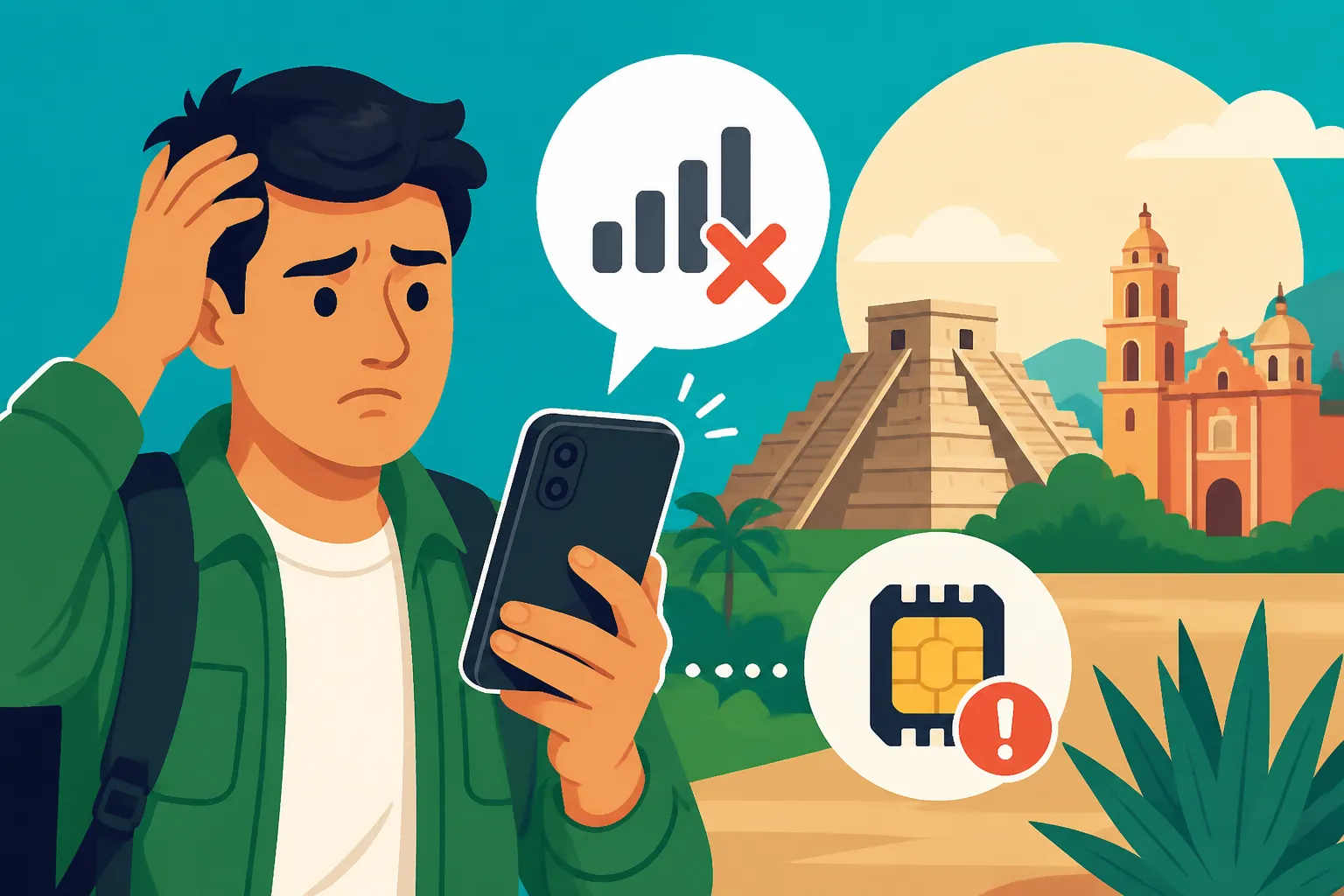
There are few things more frustrating than landing in beautiful Mexico, ready to explore, and suddenly realizing your eSIM has gone silent. You bought it, you installed it, you thought you were all set, and now you’re staring at "No Service" or a glaring "SOS Only" message. It’s enough to make you want to throw your phone in the nearest cenote! Trust me, I’ve been there – trying to navigate a new city without maps, unable to call that Uber, or even just check in with family. This guide is here to walk you through exactly what to do when your eSIM fails you, and why investing in a reliable solution like Airalo from the get-go can save you a world of headaches.
Disclosure: This post may contain affiliate links. We may earn a commission at no extra cost to you if you make a purchase through these links. Read full disclosure.
The Initial Panic: Why Your eSIM Might Be Acting Up in Mexico
That gut-punch feeling when your phone goes dark in a foreign country? Oh, I know it well. It’s not just an inconvenience; it feels like you've lost a limb. You rely on your phone for everything these days, especially as an expat or a tourist. From finding the best tacos in Oaxaca to checking your banking app, or even just keeping up with your favorite podcasts, connectivity is king. So, when your eSIM decides to take a siesta without you, it's not just annoying; it's genuinely stressful.
Common Reasons for Signal Loss
Let's break down why your shiny new eSIM might suddenly be refusing to play nice. It's often not as dire as it seems, though it certainly feels like it in the moment.
First off, network coverage can be a sneaky culprit. While Mexico's major cities like Mexico City, Guadalajara, or Monterrey generally have excellent cellular infrastructure, stray too far into a rural pueblo, a remote beach, or even certain areas within a bustling city that have poor signal penetration, and you might find your service drop off a cliff. Your eSIM relies on local networks, and if those networks aren't strong where you are, your eSIM won't be either. This is where the choice of your eSIM provider, and their local network partners, truly matters. Some providers, like Airalo, are great at partnering with the strongest local networks, giving you a better chance, but even they can't create signal where there is none.
Then there's the notorious APN setting. This stands for Access Point Name, and it's essentially the gateway your phone uses to connect to the internet through the cellular network. If these settings are incorrect or haven't automatically configured themselves, your phone won't know how to access data, even if it shows a signal. It's like having a car with no keys – it's there, but it's not going anywhere. Many modern eSIMs, especially user-friendly ones like Airalo, are designed to handle APN settings automatically, but sometimes, technology just needs a gentle nudge.
Another common oversight is data roaming. For eSIMs, this usually needs to be enabled for the eSIM line itself in your phone settings. It might sound counterintuitive since you're already "roaming" by using an eSIM from a different provider than your home one, but it's a critical setting. If it's switched off, your data simply won't work, no matter how many bars you have. Always double-check this one.
And let's not forget the simplest reason: you might have run out of data or your plan might have expired. Time flies when you're having fun, and streaming videos or constantly using GPS can eat through data faster than you'd expect. Many eSIM plans are time-limited (e.g., 7 days, 15 days, 30 days) and have a specific data allowance. If you hit either of those limits, your service will stop until you top up or buy a new plan. This is where an app that clearly shows your usage, like the Airalo app, becomes incredibly valuable.
Finally, frustrating device compatibility or software glitches can also mess things up. Older phones might not fully support eSIM technology, or a recent software update (or lack thereof) could be causing conflicts. Sometimes, the problem isn't with the eSIM itself, but with your phone's internal settings or software.
Validating Your Frustration
It's okay to feel utterly flustered when this happens. Seriously. As an expat who's been navigating the beautiful chaos of Mexico for years, I can tell you that losing connectivity feels like a major setback. It’s not just about missing out on Instagram moments; it's about practical survival. Imagine trying to catch a taxi or an Uber without data, especially in a city like Mexico City where ride-sharing apps are a lifeline. Or needing to look up a crucial Spanish phrase when you're at the doctor and your phone turns into a brick. That initial jolt of panic is real.
I’ve heard countless stories, and experienced my own share, of people getting lost, missing important messages, or feeling isolated because their phone became a glorified paperweight. Whether you're trying to find an English-speaking doctor in Mexico or simply trying to coordinate a meetup with friends, a reliable connection is non-negotiable. It’s moments like these that truly highlight the value of a dependable eSIM provider that anticipates these issues and provides clear support. The goal is always to reduce the administrative and technical hurdles so you can focus on enjoying your time here, not troubleshooting your phone.
Step-by-Step Troubleshooting for Your Mexico eSIM
Alright, deep breaths. Let’s get you reconnected. Most eSIM issues are fixable with a methodical approach. Don't immediately assume the worst; often it’s a simple setting or a quick refresh that brings your service back to life.
Basic Checks Before Diving Deeper
Before we get into the nitty-gritty, let's try some universal fixes that sometimes magically solve the problem. These are the equivalent of "unplug it and plug it back in."
First, restart your phone. Yes, the oldest trick in the tech support book, but it works surprisingly often. A full reboot can clear temporary software glitches and force your phone to re-establish its connection to the network. Give it a minute or two after it powers back on to see if your signal returns.
Next, toggle airplane mode. Switch your phone into airplane mode for about 30 seconds, then switch it back off. This action effectively disconnects and reconnects your phone from all cellular and Wi-Fi networks, often resolving minor connection hiccups. It's a quick reset for your radios.
Now, let's look at your eSIM status in your phone settings. Navigate to your cellular settings (on iOS, it's "Settings > Cellular" or "Settings > Mobile Data"; on Android, it's typically "Settings > Network & internet > SIMs" or "Mobile network"). Make sure the eSIM line for Mexico is turned ON and that "Data Roaming" is enabled for that specific line. This is a common pitfall! While you're there, confirm that the eSIM is set as the primary line for cellular data, especially if you have multiple SIMs or eSIMs active. If you're wondering about managing all your connectivity options, our guide on Internet and Mobile Phone Plans in Mexico: Setting Up Services as an Expat offers even more detail.
Lastly, and this is crucial, verify your data usage against your plan. Open your eSIM provider’s app (if you're using Airalo, this is a breeze through their intuitive app) or log into their website. Check if you've consumed all your data or if your plan's validity period has expired. Many plans come with specific data amounts (e.g., 5GB) and a set duration (e.g., 30 days). If you're out of data or time, you simply need to purchase a top-up or a new plan. Airalo makes this incredibly easy, allowing you to buy more data right from their app without having to remove your existing eSIM.
Deep Dive into APN Settings and Network Selection
If the basic checks didn't magically fix things, it's time to roll up our sleeves and look at the more technical aspects. Don't worry, it's not as scary as it sounds.
The Access Point Name (APN) is like the address book your phone uses to connect to the internet. If it’s wrong, your data won’t flow. While most modern eSIMs, including Airalo, are designed to automatically configure the correct APN, sometimes they need manual intervention.
To check and potentially adjust your APN settings:
- For iOS: Go to "Settings > Cellular (or Mobile Data) > [Your eSIM line] > Cellular Data Network."
- For Android: The path can vary slightly by phone model, but generally it's "Settings > Network & internet > Mobile network > [Your eSIM line] > Access Point Names."
Once you're in the APN settings, look for the current APN. Your eSIM provider (like Airalo) will typically provide the correct APN in their app or on their support pages. It's often something simple like "internet" or a specific carrier's APN like "internet.itelcel.com" (for Telcel, for example). If it's blank, incorrect, or you suspect it's the issue, you can add a new APN with the correct information provided by your eSIM carrier. Once entered, save it and select it. This often forces the connection to re-establish.
Another powerful troubleshooting step is to manually select your network operator. Your phone usually tries to connect to the strongest available network automatically. However, sometimes it gets stuck on a weaker or non-functioning network, even if a stronger one is available. Mexico has several major mobile networks, including Telcel, AT&T, and Movistar. Your eSIM provider likely partners with one or more of these.
To manually select a network:
- For iOS: Go to "Settings > Cellular (or Mobile Data) > [Your eSIM line] > Network Selection." Turn off "Automatic" and wait for a list of available networks to appear.
- For Android: "Settings > Network & internet > Mobile network > [Your eSIM line] > Network operators." Turn off "Choose automatically" and let your phone scan.
Once the list appears, try selecting a different network than the one it was trying to use. For example, if you're on a plan that uses Telcel's infrastructure, but it's not working, try selecting Movistar or AT&T if they appear, then switch back to Telcel. Sometimes simply forcing this refresh helps. You might have to try a few networks before you find one that works, especially if your eSIM plan allows for multiple network access. Knowing the local players like Telcel, AT&T, and Movistar, as discussed in Getting a SIM Card in Mexico (Telcel, AT&T, Movistar), can be a real advantage here.
Reinstalling and Re-activating Your eSIM Profile
Sometimes, an eSIM profile can become corrupted or simply needs a fresh start. This isn't usually the first step, but if everything else fails, reinstalling your eSIM might be the answer.
Before you delete anything, make sure you have the exact installation instructions and QR code/manual details from your eSIM provider (like Airalo) handy. You will need them to reinstall. Do not delete your eSIM profile unless you have these details ready! If you delete it without having the reinstallation information, you might lose your plan entirely. Always check with Airalo support first to confirm reinstallation is an option for your current plan.
To remove an eSIM:
- For iOS: Go to "Settings > Cellular (or Mobile Data) > [Your eSIM line]" and tap "Remove Cellular Plan" or "Delete eSIM."
- For Android: "Settings > Network & internet > SIMs > [Your eSIM line]" and tap "Delete SIM" or "Remove eSIM."
Once the profile is removed, restart your phone. Then, follow your eSIM provider's instructions to reinstall the eSIM. For Airalo, this usually involves scanning a QR code or entering a manual activation code within your phone's cellular settings. After reinstallation, remember to enable the eSIM line, turn on data roaming, and set it as your data line. This process can be a bit intimidating, but it's a solid fix for a truly stubborn connection problem.
Contacting Support: When All Else Fails
If you’ve tried all the above steps and your eSIM is still giving you the silent treatment, it’s time to call in the cavalry – customer support. This is where a good eSIM provider really shines.
If you’re using Airalo, you’re in luck. They have a very responsive support team that you can usually reach directly through their app or via their website. Before you contact them, gather as much information as possible:
- Your device model and operating system version. (e.g., iPhone 15 Pro, iOS 17.5; Samsung Galaxy S24, Android 14)
- Your exact location. (e.g., "currently in Condesa, Mexico City," or "near Tulum Ruins, Quintana Roo")
- Details of your Airalo plan. (e.g., Mexico 5GB, 30-day plan, purchased on [date])
- What troubleshooting steps you’ve already taken. (e.g., "restarted phone, toggled airplane mode, checked data roaming, manually selected network Telcel")
- Any error messages you see on your phone. (e.g., "No Service," "SOS Only," "Could not activate cellular data network")
Providing this information upfront will help their support team diagnose the issue much faster. They can check if there are any known network issues in your area, verify your account status, or provide specific APN settings unique to your plan. Remember, even if you speak Spanish, technical issues often require clear, concise English or the language their primary support operates in. This ensures no details are lost in translation.
Why a Reliable eSIM Like Airalo is Your Best Bet in Mexico
After all that troubleshooting talk, you might be thinking, "There has to be an easier way!" And there is. Part of avoiding these headaches altogether starts with choosing the right eSIM provider. This is where I can confidently recommend Airalo. Over the years, they've consistently proven to be a top contender for seamless, stress-free connectivity for expats and tourists in Mexico.
Benefits of Using Airalo for Seamless Connectivity
From my personal experience and countless recommendations within the expat community, Airalo simplifies the entire process of getting online in Mexico. Here’s why it stands out:
Firstly, ease of purchase and installation. You can buy an Airalo eSIM from anywhere in the world before you even land in Mexico. No more scrambling at the airport for a local SIM card, dealing with language barriers, or presenting your passport to a street vendor. You just download their app, pick your Mexico plan (or a regional one like their Latinoamérica plan), pay, and install it with a few taps. It's incredibly straightforward. This eliminates a huge chunk of initial travel stress, allowing you to focus on Settling in Mexico: Step-by-Step Guide to Your First 30 Days as an Expat instead.
Airalo offers a fantastic variety of data package options tailored for different needs. Whether you're here for a quick weekend trip to Cancún and only need a small data package, or you're an expat settling in for months who needs larger, longer-term data, they've got you covered. You can choose from plans as short as 7 days or as long as 30 days, with data ranging from 1GB to 20GB or more. This flexibility means you only pay for what you need, making it a smart budgeting choice.
One of Airalo's biggest advantages is its global coverage, which translates to less hassle if you’re traveling around different countries or even just crossing borders frequently. While this guide focuses on Mexico, knowing that your eSIM provider has partnerships in many other nations means consistent service if your travels take you further afield.
Another key benefit is their transparent and competitive pricing. You see the price upfront, and that's what you pay. No hidden fees, no unexpected roaming charges, and no surprise top-up costs. You always know exactly what you’re getting. This financial clarity is a huge plus when you're trying to manage your expenses in a new country.
Importantly, Airalo is designed to integrate seamlessly with major local networks. For Mexico, Airalo often partners with reliable carriers like Telcel, Movistar, and AT&T. This means you’re getting coverage on the strongest existing networks, which directly impacts your ability to stay connected, whether you're in the bustling heart of Mexico City or exploring the beaches of Puerto Vallarta. Their system typically auto-selects the best network, or allows you to choose from available options, minimizing those "No Service" scares. This reliable connectivity is essential for everything from calling an ambulance in Mexico in an emergency to using navigation apps when Getting Around Mexico: Buses, Flights, and Car Hire.
Planning Ahead: Avoiding Future eSIM Headaches
The best way to troubleshoot an eSIM is to prevent it from failing in the first place! A little preparation goes a long way, especially with a service as convenient as Airalo.
My number one tip for any trip to Mexico: download your Airalo eSIM before you even leave your home country, or at least before you land. You can activate it once you arrive, but having it installed and ready to go while you still have your home country's Wi-Fi or cellular service guarantees a smooth transition. This avoids the stress of trying to find airport Wi-Fi (which can be unreliable or require a local number to connect) or dealing with connectivity issues from the moment you step off the plane.
Always make it a habit to keep an eye on your data usage within the Airalo app. The app provides real-time tracking, so you'll know exactly how much data you have left and when your plan is due to expire. This lets you top up proactively, rather than realizing you're out of data when you're in the middle of a crucial Google Maps search. This kind of mindful budgeting extends to all aspects of life here, including figuring out How to Pay Less in Bank Fees in Mexico by using online banking apps that require reliable data.
When choosing a data plan, my advice is to consider a slightly larger data plan than you think you need. It's always better to have a little extra data than to run out prematurely. The cost difference is often minimal, and the peace of mind is priceless. If you're going to be a digital nomad working from Mexico, this is even more critical, ensuring you have the bandwidth for video calls and uploads.
Finally, always have a backup plan, even when using a reliable eSIM like Airalo. This could mean knowing where local Wi-Fi hotspots are (cafes, hotels), or even having a physical local SIM card from a provider like Telcel or Movistar as a secondary option for longer stays. While Airalo aims to be your primary solution, smart travel always involves contingency planning.
| Troubleshooting Step | When to Try It | What It Might Fix |
|---|---|---|
| Restart Phone | First step for any connectivity issue | Minor software glitches, network registration issues |
| Toggle Airplane Mode | Quick fix for temporary signal drops | Temporary network disconnects |
| Check eSIM/Data Roaming | If no data despite signal bars | Incorrect settings for eSIM line or roaming |
| Verify Data/Plan Expiration | If signal is there but no internet | Out of data, expired plan |
| Check APN Settings | If data doesn't work after basic checks | Incorrect internet configuration |
| Manual Network Selection | Persistent "No Service" or weak signal | Phone stuck on a non-optimal network |
| Reinstall eSIM Profile | As a last resort, after consulting support | Corrupted eSIM profile, deep software conflicts |
| Contact Support | When all self-troubleshooting fails | Account-specific issues, network outages, complex bugs |
Airalo is genuinely a game-changer for staying connected in Mexico. It cuts through the bureaucratic hassle of getting a local SIM and provides a reliable, flexible service that puts you in control. Don’t let connectivity woes dim your Mexican adventure; get set up with Airalo and enjoy every moment without the digital drama.
Disclaimer
Please remember that immigration laws, financial requirements, and local regulations in Mexico can change rapidly. While I strive to provide the most current and accurate information based on my experience and available resources, this guide is for informational purposes only. It is not legal, financial, or immigration advice. Always consult with qualified professionals (e.g., immigration lawyers, financial advisors, local authorities) for advice tailored to your specific situation. We are not responsible for any actions taken based on the information provided herein.