Buying an eSIM for Mexico: Provider Comparison and Real Cost Per GB
Your plane lands at Cancún or Mexico City, and you need an Uber, a hotel address, and a WhatsApp message to your host. Then you find out your home carrier charges a daily roaming fee, or the airport kiosk SIM has a queue. This guide compares the real options for mobile data in Mexico and shows you how to work out what each one truly costs per gigabyte.
Disclosure: This post may contain affiliate links. We may earn a commission at no extra cost to you if you make a purchase through these links. Read full disclosure.
Why an eSIM Makes Sense for a Mexico Trip
The Arrival Problem at Mexican Airports
I have landed at Mexico City’s Benito Juárez airport more times than I can count. The first hour is always the same. You clear immigration, collect your bag, and step into the arrivals hall, where taxi touts, currency exchange booths and phone kiosks all compete for you. Without data you can’t check whether the authorized taxi price is fair, you can’t book a ride-hailing car, and you can’t tell your Airbnb host you’ve landed.
Cancún is worse in some ways. The arrivals area at Terminal 3 has a famous gauntlet of timeshare sellers and “free transport” offers. These are much easier to ignore when your phone already works and you can see your pre-booked shuttle confirmation. Travelers who arrive with no connectivity tend to make rushed decisions. Most often that means overpaying for a SIM at the airport or accepting a ride they didn’t plan.
The airport Wi-Fi exists, but it is often slow, asks for a sign-up, and drops just when you need a map. Relying on it to sort out your connectivity on the spot is stressful after a long flight. An eSIM installed before you leave home removes that moment entirely. You switch on your phone after landing and it connects to a Mexican network before you reach baggage claim.
What an eSIM Actually Is and What It Is Not
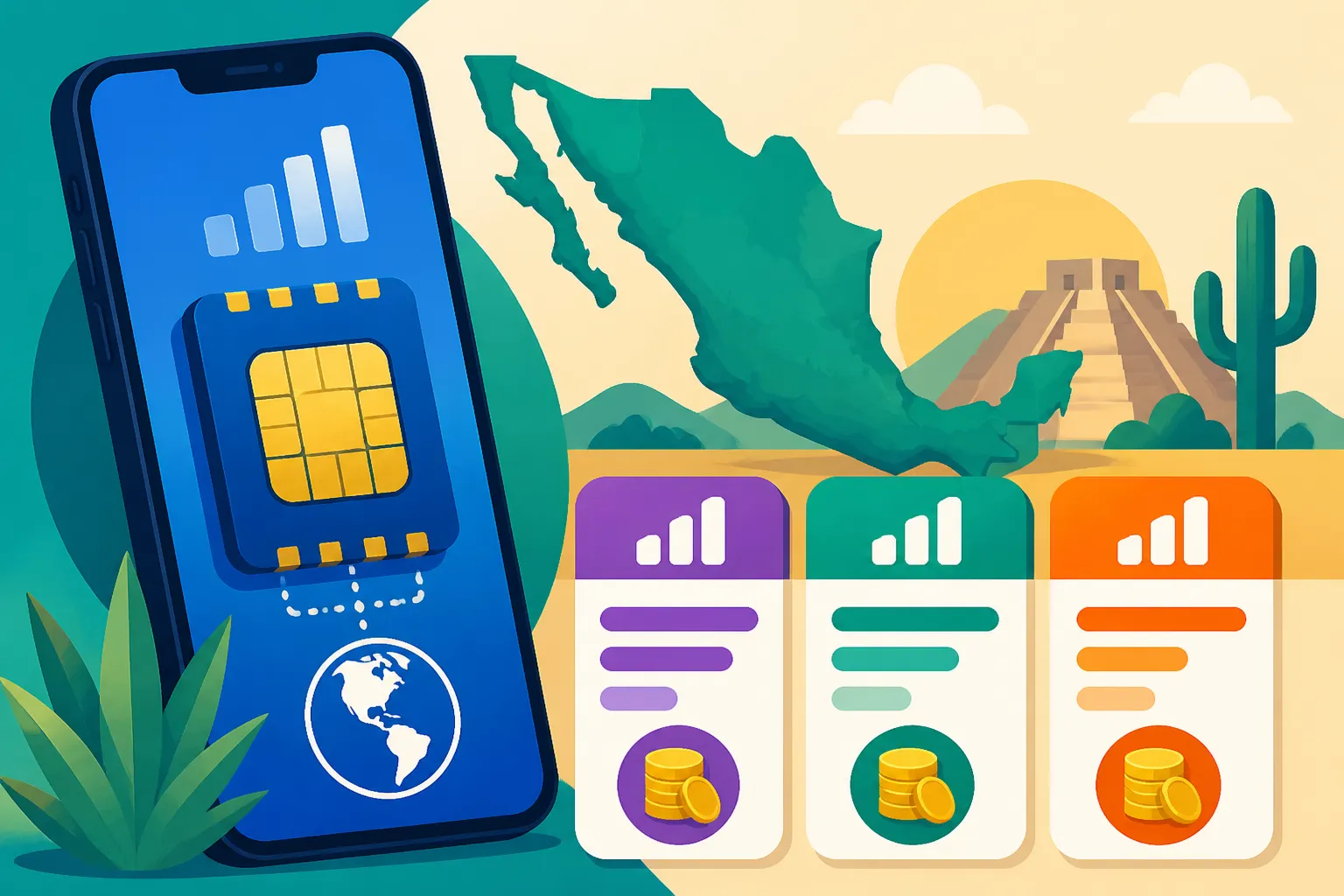
An eSIM is a digital SIM profile built into your phone. Instead of a plastic card, you download the profile from a provider, usually by scanning a QR code or tapping an install button in an app. Most modern phones can hold several eSIM profiles and switch between them. You can keep your home number on one line and use a Mexican data line on another.
Most travel eSIMs are data-only. That means no Mexican phone number for traditional calls and texts. In Mexico this matters less than you’d think, because daily life runs on WhatsApp. Restaurants take reservations through it, landlords send their CLABE details on it, tour operators confirm pickups on it, and your WhatsApp account stays tied to your home number whatever data line you use.
An eSIM will not fix a locked phone. If your carrier has locked your device, a foreign eSIM won’t activate, so check this weeks before travel, not at the gate. For the full list of models and the settings menus to check, see eSIM Device Compatibility: Which Phones Work in Mexico Before You Buy.
The Four Ways to Get Mobile Data in Mexico
Home Carrier Roaming
The easiest option on paper is to do nothing and let your home carrier roam. Some US plans include Mexico in their coverage. Others charge a daily pass that kicks in the first time you use data. Canadian and European carriers usually treat Mexico as a full roaming destination with add-ons that can get expensive fast.
The convenience is real: same number, same SIM, no setup. The trap is that daily passes charge per calendar day of use, not per gigabyte. If your phone quietly syncs photos one morning, the day counts. Included roaming plans can also come with speed caps or limited high-speed allowances that feel fine for messaging and painful for maps in a busy city. Read your plan’s international terms rather than assuming.
If your carrier really does include Mexico at full speed with no cap, roaming may be all you need. If not, the numbers shift quickly once a trip goes past a long weekend. eSIM vs Your US Carrier’s Included Mexico Roaming: When It Actually Pays works through that decision for American travelers specifically.
Local Physical SIM From Telcel, AT&T or Movistar
Buying a local prepaid SIM is the classic backpacker move, and it still works. Telcel is the dominant carrier, AT&T Mexico and Movistar are the main alternatives, and you can find SIM cards at carrier stores, airport kiosks, and many OXXO convenience stores. Top-ups, called recargas, are sold almost everywhere. You just tell the cashier your number and the package you want.
The upside is a real Mexican phone number and, often, very competitive pricing on prepaid bundles. Many local bundles also include social-media allowances on top of general data. The downsides are practical. You may need to swap your physical SIM out of your phone, which means losing your home number for the trip unless you have dual-SIM hardware. Store staff may not speak English. The activation steps, including registering the line in some cases, can be confusing on day one.
There is also the time cost. Finding a Telcel Centro de Atención, waiting in line, and sorting out activation can eat a morning of a short holiday. For anyone staying weeks or months it is often worth it. For a ten-day trip it frequently is not. Travel eSIM vs a Telcel Amigo SIM: The Real Price Per GB in Mexico compares the two head to head.
Travel eSIM Marketplaces and Unlimited Data Providers
Travel eSIM providers fall into two broad camps. Marketplace-style providers, with Airalo the best-known example, sell metered data packages: a set amount of data valid for a set number of days. Unlimited-style providers sell passes advertised as unlimited, usually priced by trip length rather than data volume, and typically subject to fair-use policies that can slow speeds after heavy use.
Both install the same way, and both work on Mexican partner networks. The difference is in what you pay for. With metered data you pay for gigabytes and choose how many you need. With unlimited passes you pay for days whether you use a lot of data or very little. Which is cheaper per gigabyte depends entirely on how you use your phone, and that is where most of this guide’s math comes in.
The table below sums up the four routes before we get into cost.
| Option | Phone number included | Setup effort | Best fit | Main risk |
|---|---|---|---|---|
| Home carrier roaming | Yes, your home number | None | Short trips on plans that include Mexico | Daily charges or speed caps |
| Local prepaid SIM | Yes, a Mexican number | Moderate to high | Long stays, heavy users | Losing home SIM slot, language barrier at activation |
| Metered travel eSIM | Usually data-only | Low, done before travel | Most vacations and multi-city trips | Running out if you underestimate usage |
| Unlimited travel eSIM | Usually data-only | Low, done before travel | Very heavy streamers | Fair-use slowdowns, paying for days you barely use |
How to Calculate the Real Cost Per GB
The Sticker Price Trap
Every provider wants you to compare headline prices. One plan looks cheaper because it’s a smaller package. Another looks generous because it says unlimited. Neither tells you what you’ll actually pay for the data you actually use in Mexico, and that’s the only number that matters.
Picture two friends on the same week in Oaxaca City. One uses the phone for maps, WhatsApp and the odd Instagram story. The other posts reels from every mezcal tasting and video-calls family every evening. A plan that is excellent value for the first friend is poor value for the second, and the reverse is true too. The real cost per GB is personal, not a fixed property of a plan.
That’s why I always tell friends to start with their own usage, not the provider’s menu. Your phone already tracks mobile data use in its settings. Check a typical week at home on mobile data, not Wi-Fi, and you have a solid baseline. For usage estimates by trip style, see Sizing Your Mexico Data Plan: GB Estimates by Trip Length and Usage.
A Simple Formula You Can Use in Five Minutes
The real cost per GB is the total you paid divided by the gigabytes you actually used. Not the gigabytes you bought, the ones you used. That one change exposes waste instantly. A big package that you only half use effectively doubles its own cost per GB.
Here’s the process I use before every trip:
- Check your phone’s mobile data usage for a normal week at home and note the total.
- Adjust it for the trip. Navigation-heavy travel in Mexico City or a road trip around the Yucatán raises usage. A resort stay with good Wi-Fi lowers it.
- Multiply your adjusted weekly figure by the number of weeks you’ll be away to get an expected total.
- For each option, add up everything you’d pay: the package itself, any top-ups you’d likely need, and any roaming day charges.
- Divide that total by the gigabytes you expect to use, capped at what the plan delivers at full speed.
- Compare the results side by side, then add a small buffer to your estimate so you aren’t caught short on your last day.
For unlimited passes, the divisor is your realistic usage, not infinity. If you’d use a modest amount on an unlimited pass, your cost per GB can end up higher than a metered plan. For roaming day passes, multiply the daily charge by the days you’ll use data, then divide by your usage.
Hidden Costs: Wasted Data, Top-Ups and Validity
Wasted data is the biggest hidden cost. Metered packages expire at the end of their validity period, and any data left over generally disappears with them. Buying far more than you need “just in case” feels safe but raises your effective price. A better approach is to buy close to your estimate and top up if you need more.
Validity mismatches cut the other way. If your package’s validity ends before your trip does, you’ll need to add data or a new package for the remaining days, and that cost belongs in your calculation. Always check when validity starts. Many travel eSIM packages begin counting when the eSIM first connects to a supported network at your destination, not at purchase, but the policy for each package is shown before you buy, so confirm it.
The last hidden cost is your own time and stress. An hour in a carrier store line in Guadalajara or an afternoon trying to fix a misconfigured APN has a real cost on a short trip. It doesn’t show up in a per-GB formula, but you should weigh it.
| Cost factor | Roaming | Local SIM | Metered eSIM | Unlimited eSIM |
|---|---|---|---|---|
| What you pay for | Days of use | Package plus recargas | Gigabytes within validity | Days of validity |
| Wasted value risk | Days triggered by background sync | Unused bundle data | Leftover data at expiry | Paying for days of light use |
| Top-up method | Carrier app or automatic | OXXO, carrier stores, apps | Provider app | Usually buy a longer pass |
| Time cost | None | Store visit and activation | Minutes, done at home | Minutes, done at home |
| Who it punishes | Long trips | Short trips | Underestimators | Light users |
Why Airalo Wins for Most Mexico Trips
Metered Data That Matches Real Usage
For the typical visitor, a week or two of tacos, ruins, beaches and city wandering, metered data is the most efficient way to pay. You buy roughly what you’ll use and nothing more. That’s why Airalo is the option I recommend to most friends visiting Mexico: it sells country-specific Mexico packages in a range of sizes and validity periods, so you can pick something close to your actual estimate instead of overpaying for capacity you won’t touch.
Most visitors use far less data than they fear. Hotel Wi-Fi, café Wi-Fi in Roma or Condesa, and the restaurant networks almost everywhere cover the heavy lifting. Mobile data fills the gaps: maps between neighborhoods, ride-hailing, WhatsApp, translation, and checking opening hours. Those uses are light, so a metered plan sized to them gives you a low real cost per GB.
The app is clear about what you’re buying. Before purchase it shows the data amount, validity, network details and whether hotspot sharing is supported, so you can compare it against your own formula rather than a marketing headline. Current package sizes and prices change, so check the Airalo app or website for today’s options before you commit.
Top-Ups Instead of Starting Over
Underestimating is the worry with metered data. In practice it’s easy to fix. Airalo lets you add a top-up package to the eSIM you already installed, so you don’t need to scan a new QR code or reconfigure anything. The new data goes onto the same line. You can do it from a beach chair in Puerto Escondido in a couple of minutes.
That changes how you should buy. Instead of a giant package on day one, start with something sized to your honest estimate. If a rainy afternoon in San Cristóbal turns into a Netflix marathon, top up. You pay for the extra data only if you actually need it, which keeps your real cost per GB down.
The app shows remaining data and days, and you can watch it from your phone settings too. I check mine every few days on a longer trip so I’m never surprised. For guidance on whether to extend or buy fresh, see eSIM Top-Ups in Mexico: When to Extend vs Buy a New Plan.
Regional Packages for Multi-Country Routes
Lots of Mexico trips don’t stay in Mexico. Snowbirds drive down from Texas or Arizona. Backpackers continue from Chetumal into Belize or from Chiapas into Guatemala. Cruise passengers dock in Cozumel and then visit other countries on the same sailing. A single-country plan doesn’t follow you across borders.
Airalo also sells regional packages that cover several countries on one eSIM, which can be simpler than juggling multiple country plans. Coverage lists differ between packages, so always check that every country on your route is included before you buy. For a road trip that starts in the US, see North America Regional eSIM Plans: Worth It for a US-Mexico Trip.
Whether regional beats country-specific depends on time spent. If you’re mostly in Mexico with a short hop over a border, a Mexico plan plus a small separate plan for the other country may work out cheaper per GB. If you’re splitting time evenly, one regional plan saves hassle. Run the same formula for both and pick the lower number.
Coverage Realities Across Mexico
Cities and Resort Corridors
In Mexico City, Guadalajara, Monterrey, Puebla and Querétaro, coverage is strong on all the main networks, and you’ll rarely think about signal. The same goes for the main tourist corridors: Cancún’s Hotel Zone, Playa del Carmen’s Quinta Avenida, central Tulum, Puerto Vallarta’s Zona Romántica, and downtown Cabo San Lucas.
Where people get caught out is inside buildings. The thick stone walls of colonial buildings in San Miguel de Allende, Oaxaca and Mérida can weaken signal noticeably in interior rooms and courtyards. Underground stretches of the Mexico City Metro can be patchy too. None of this is specific to eSIMs. A local SIM on the same network behaves the same way.
Crowded events are the other weak point. During El Grito in the Zócalo on the night of September 15, at a Lucha Libre night at Arena México, or around the Day of the Dead crowds in Oaxaca, networks get congested and data slows for everyone. Download offline maps and screenshot your tickets ahead of time.
Rural Mexico, Highways and Islands
Rural Mexico is where network choice really matters. Telcel generally has the widest footprint in remote areas, and which Mexican network your eSIM uses can make a real difference in the mountains of Oaxaca, the highlands of Chiapas, or the Copper Canyon. Before you buy, check which partner network a package uses and compare it with where you’re heading. Why Telcel Dominates Rural Coverage and What That Means for Your eSIM goes deeper on this.
Highways have their own gaps. Long stretches between Yucatán towns and cenotes, and the empty desert miles of Baja’s Highway 1 between Ensenada and Guerrero Negro, can go without any signal for extended periods. For route-specific detail, see Data Coverage on the Yucatan Highways: Signal Between Cenotes and Ruins and Coverage in Baja: Signal Along the Transpeninsular Highway.
Islands vary. Cozumel and Isla Mujeres are generally fine around town. Smaller spots like Holbox can be slower, especially when the island is full of visitors. My rule everywhere off the beaten path: download offline maps in Google Maps or Maps.me, keep hotel and tour confirmations as screenshots, and never depend on live data for anything time-critical like a ferry or a colectivo departure.
Step-by-Step Setup for a Smooth Arrival
Before You Fly
Do the setup at home on good Wi-Fi a day or two before departure. The installation needs an internet connection, and you don’t want to attempt it on airport Wi-Fi at the gate. Here is the process:
- Confirm your phone is unlocked and eSIM-capable in your settings.
- Download the Airalo app and choose a Mexico package sized to your estimate.
- Check the package details for validity, network and activation policy before paying.
- Install the eSIM using the app’s direct install option or the QR code.
- Label the new line clearly, for example “Mexico Data”, so you don’t confuse it with your home line.
- Leave the new line switched off or set not to be used for data until you land, if the activation policy suggests that.
- Take a screenshot of the installation details and any manual setup information in case you need to reinstall.
Never delete an installed eSIM profile to “tidy up”. On most phones a deleted profile can’t simply be restored, and you may need a new one. Step-by-step screenshots for iPhone and Android, plus the common errors, are in Installing an eSIM Before You Fly to Mexico: Step by Step and Common Errors.
On Landing
When the plane is on the ground, turn off airplane mode and go to your phone’s mobile settings. Set the Mexico line as your mobile data line. Switch on data roaming for the Mexico line. That sounds wrong, but travel eSIMs connect as roaming lines to Mexican partner networks, so roaming has to be on for that line.
Then deal with your home line. If you want to avoid roaming charges, turn off data roaming for your home line, or set your phone so the home line is used only for calls and texts. You can leave it active so you still receive bank verification texts and calls from home, though incoming calls and texts may carry roaming charges depending on your carrier. See Keeping Your Home Number Active While Using an eSIM in Mexico for the setup that keeps you reachable without surprise bills.
Give the phone a minute to find a network. You should see a Mexican carrier name appear in the status bar. Open a map or a messaging app to confirm data is flowing before you leave the terminal. If it works, you’re done, and you can book your ride straight from the arrivals hall.
Troubleshooting
If nothing connects after a few minutes, work through these checks in order:
- Confirm the Mexico line is selected for mobile data.
- Confirm data roaming is on for the Mexico line.
- Toggle airplane mode on and off to force a fresh network search.
- Restart the phone.
- Check the APN setting against the details shown in the app, if your phone didn’t set it automatically.
- Try manually selecting a network in your carrier settings instead of automatic selection.
- Contact the provider’s in-app support with screenshots of your settings.
Most problems come down to steps one and two. Roaming switched off on the travel line is the most frequent cause I see when helping friends in arrival halls. A network that works in the city and then disappears in the countryside is usually coverage rather than a setup fault. For a fuller fix list, see Losing Signal in Mexico: Troubleshooting an eSIM That Stops Working.
Matching the Plan to Your Traveler Profile
Short Vacations and Resort Stays
For a week at an all-inclusive in the Riviera Maya or a long weekend in Mexico City, connectivity needs are light. Resorts and hotels have Wi-Fi, so mobile data is mostly for airport transfers, the odd day trip to Chichén Itzá or a cenote, and messaging. A small metered package is usually the cheapest real cost per GB. Roaming can compete only if your plan includes Mexico without daily charges.
Unlimited passes rarely make sense here. You’re paying for days of capacity while connected to hotel Wi-Fi for most of them. Run the formula and the effective cost per GB tends to be high for light users.
Road Trips, Backpackers and Slow Travel
Road trippers lean on navigation all day, plus searching for gas stations, toll booth info and places to eat. Backpackers moving between hostels on ADO buses use maps and booking apps constantly and often post a lot on social media. Both groups use more data than resort guests, so a mid-sized metered package with a top-up option usually fits best.
For trips of a month or more, the calculation shifts. A local Telcel prepaid SIM becomes more attractive because the setup cost is spread over many weeks, and a Mexican number helps with deliveries and local services. Many long-stay travelers use both: an eSIM for arrival and the first days, then a local SIM once they’ve settled into a town.
Families and Remote Workers
Families can cut costs by giving each phone its own small package instead of one large plan shared from a parent’s phone, though hotspot sharing is handy for a tablet in the back seat. Check that your chosen package supports tethering before you rely on it. See eSIM for a Family Trip to Mexico: Cheapest Setup for Four Phones for setups that work, and Tethering and Hotspot Limits on eSIM Plans in Mexico for the sharing rules.
Remote workers have the strongest need for reliability. Your primary connection should be fixed Wi-Fi in a coworking space or rental, with mobile data as backup for when the fiber drops or the power goes out. A metered eSIM sized for backup use, topped up when needed, keeps you online during a client call without paying for unlimited capacity you rarely touch.
| Traveler type | Typical data use | Best-value option | Key tip |
|---|---|---|---|
| Resort vacationer | Light | Small metered eSIM | Rely on resort Wi-Fi, use data for transfers and day trips |
| City break | Light to moderate | Small or mid-sized metered eSIM | Download offline maps for Metro rides |
| Road tripper | Moderate to high | Mid-sized metered eSIM with top-ups | Check rural network coverage on your route |
| Backpacker | Moderate to high | Metered eSIM, local SIM for long trips | Keep screenshots of bus tickets |
| Family of four | Varies by person | One small plan per phone | Confirm hotspot support before sharing |
| Remote worker | Backup use | Metered eSIM as backup to Wi-Fi | Never use mobile data as your only work connection |
| Heavy streamer | Very high | Compare unlimited against large metered plans | Read fair-use terms carefully |
Common Questions About eSIMs in Mexico
Will a Data-Only eSIM Work With WhatsApp?
Yes. WhatsApp is tied to your phone number, not your data connection. You keep your home WhatsApp account and use it over your Mexico eSIM data. Calls and messages over WhatsApp use data, not minutes, so your home carrier won’t charge you for them. Voice calls use little data, while video calls use far more, so heavy video callers should size their package accordingly.
Can I Use an eSIM and a Local SIM at the Same Time?
On most dual-SIM phones, yes. A common setup for longer stays is a local physical Telcel SIM for a Mexican number and an eSIM for data, or the other way around. You choose which line handles data in your settings. Check your phone model’s limits, since some allow only a certain number of active lines at once.
What Happens When My Package Runs Out?
Data simply stops until you top up or buy a new package. You won’t be billed automatically. You’ll usually get a notification as your data runs low. Top-ups can be added from the app over any Wi-Fi network, so if you run out in the middle of a town, find a café, connect, and add more data in a couple of minutes.
Can I Keep the eSIM for My Next Trip?
That depends on the provider and the package. Some eSIM profiles can be kept installed and topped up for future trips, while others stop working after a period of inactivity. Check the policy in the app before deleting anything.
Final Thoughts: Land Connected and Pay Only for What You Use
The cheapest mobile data in Mexico is the plan that matches what you’ll actually use. Work out your real usage, divide every option’s total cost by it, and the winner is usually obvious. For most visitors on trips of a few days to a few weeks, that winner is a metered travel eSIM installed before departure. It is cheap per gigabyte, easy to top up, and working the second your wheels touch the runway at Cancún, Mexico City or Puerto Vallarta.
That’s why I keep sending friends to Airalo. Install your Mexico package at home, flip the right settings when you land, and spend your first hour in Mexico on a taco instead of in a phone shop queue. Check the Airalo app for current Mexico packages, run your numbers, and pick the one that fits your trip.
Disclaimer
This article is for general informational purposes only and does not constitute professional advice. Laws, prices and regulations vary by location and change over time. Consult a qualified professional for guidance on your specific situation.