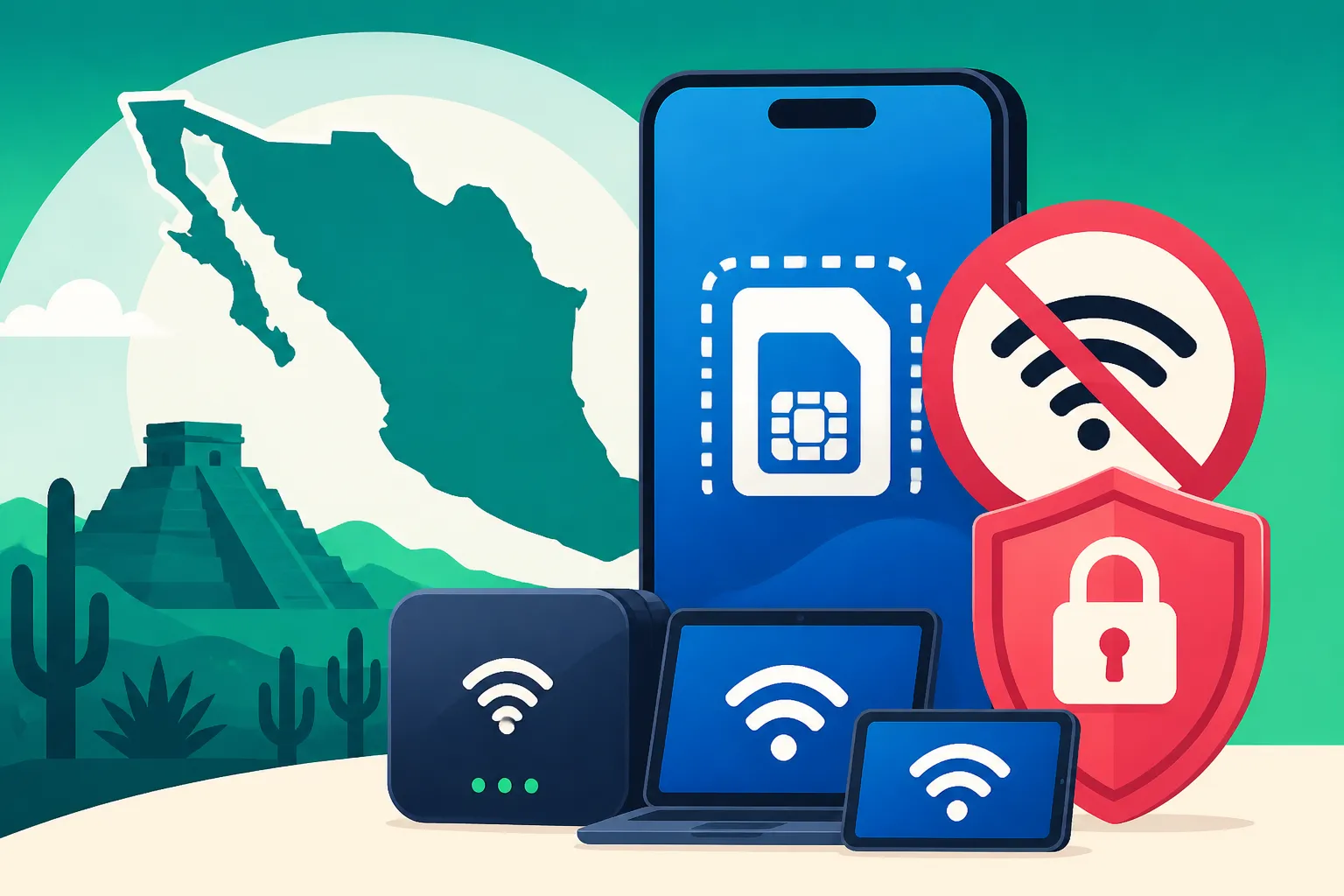
Tethering and Hotspot Limits on eSIM Plans in Mexico
Ah, the eternal expat quest for reliable internet in Mexico! We’ve all been there, squinting at our phone screens, desperately trying to get a signal, only to realize that while we might have data, sharing it with other devices through a hotspot isn't always as straightforward as it seems. This guide is going to walk you through the ins and outs of tethering and hotspot limits on eSIM plans here in Mexico, with a special focus on making your digital life easier, especially with a solution like Airalo.
Disclosure: This post may contain affiliate links. We may earn a commission at no extra cost to you if you make a purchase through these links. Read full disclosure.
Understanding eSIMs and Hotspot Essentials in Mexico
Let's cut through the tech jargon and get to what really matters for us expats. An eSIM, or embedded SIM, is basically a digital SIM card that lives inside your phone. Instead of fumbling with tiny plastic cards every time you switch countries or want a new plan, an eSIM lets you activate a cellular plan directly from your device, often with just a QR code or an app. It's a game-changer for those of us who travel often or just want the flexibility to get local data without hassle.
Now, a hotspot, or tethering, is when your phone acts like a personal Wi-Fi router, sharing its cellular data connection with other devices like your laptop, tablet, or another phone. For many expats in Mexico, especially those of us trying to juggle remote work, stay connected with family back home, or simply entertain the kids during a road trip, a reliable hotspot isn't just a convenience; it's a necessity. We live in a world where we often have multiple devices, and relying solely on patchy public Wi-Fi can be a nightmare. Imagine trying to make an important video call for work, only for the coffee shop Wi-Fi to drop out. Having your phone as a backup hotspot can be a lifesaver.
Why Expats Rely on Hotspots
Living in Mexico, you'll quickly realize that internet infrastructure, while improving, isn't always uniform. You might have lightning-fast fiber in Mexico City, but venture out to a smaller pueblo or even a less developed neighborhood in a big city, and you'll find internet speeds can vary wildly. This is where your phone's hotspot capabilities truly shine.
Many of us are Digital Nomads in Mexico: Remote Work Guide for 2027, constantly on the move, or working from cafes, co-working spaces, or even just our patios. Having the ability to create your own Wi-Fi network wherever you have a cellular signal means you're not chained to a desk or scrambling to find a Starbucks. It gives you the freedom that is so appealing about expat life here. Whether you're sending emails, uploading files, or doing video conferences, a personal hotspot ensures you stay productive.
For families, it's a godsend. Keeping the kids occupied during long car rides or a quiet evening at a restaurant without Wi-Fi becomes effortless. Each family member can connect their own devices without needing multiple SIM cards or separate data plans. This kind of flexibility is priceless, especially when you're trying to make a new life in a foreign country.
Local vs. International eSIMs for Hotspot Use
When considering hotspot capabilities, it's worth understanding the difference between a local Mexican SIM/eSIM and an international eSIM. Local carriers like Telcel, AT&T Mexico, and Movistar generally offer robust data plans with hotspot functionality. If you're planning to stay put for an extended period and want to commit to a monthly plan, a local SIM might be a good option. You can learn more about Getting a SIM Card in Mexico (Telcel, AT&T, Movistar) in a dedicated guide.
However, for shorter stays, those who don't want to deal with local sign-up processes, or simply prefer the convenience of managing everything through an app, international eSIM providers like Airalo are often the preferred choice. These providers usually partner with local networks to offer data, giving you access to the same reliable coverage you’d get from a local carrier, but with the flexibility of a pay-as-you-go or short-term package. This flexibility is crucial when you're just finding your feet, or if you're like me, always forgetting to top up a physical SIM!
Tethering Policies and Potential Limitations on eSIM Plans
Now, this is where things can get a little tricky, and it's essential to read the fine print. While the technology allows for hotspot use, individual eSIM providers and their specific plans often come with their own rules. It’s not always a blanket "yes, you can hotspot."
General Policies Across eSIM Providers
Most reputable eSIM providers, including our hero Airalo, generally do allow tethering and hotspot functionality. This is a standard expectation for mobile data usage these days. However, the catch usually isn't whether it's allowed, but how much you can use it, and under what conditions.
- Data Limits are the Main Constraint: This is by far the biggest limitation. If your eSIM plan gives you, say, 5GB of data for a month, that 5GB has to cover both your phone's usage and any data consumed by devices connected via hotspot. If you're primarily using your hotspot for streaming videos on a laptop or participating in lengthy video calls, that 5GB can disappear faster than a plate of street tacos.
- Speed Throttling: Some providers, though less common with premium data-focused eSIMs, might implement speed throttling specifically for hotspot usage. This means that while your phone itself might get decent speeds, the devices connected via hotspot could experience slower, less reliable connections. This usually happens to prevent excessive network strain from users constantly running high-bandwidth applications via tethering.
- Fair Usage Policies: Many plans come with a "fair usage policy." While not always explicitly stated as a tethering limit, it means that if you're consistently using an unusually high amount of data, especially for hotspot, the provider reserves the right to slow down or even suspend your service. This is rare for typical expat usage but something to be aware of if you plan to use it as a primary internet source for a household.
Airalo's Approach to Hotspot in Mexico
Here’s the good news: Airalo generally permits hotspot usage on their plans, unless explicitly stated otherwise in the plan’s specific details. This is a massive plus for expats and travelers because it means you're not going to be unexpectedly blocked from sharing your data.
When you're browsing Airalo's different regional or country-specific plans for Mexico, pay close attention to the "Additional Information" or "Plan Details" section. This is where any exceptions or specific limitations regarding hotspot will be listed. For the vast majority of their plans, you'll find that tethering is included.
The real key with Airalo, then, isn't whether you can hotspot, but how much data you buy and for how long. They offer a range of packages, from smaller 1GB or 3GB options perfect for a short trip or occasional backup, to larger 10GB, 20GB, or even unlimited data plans (though "unlimited" often comes with a high-speed data cap before throttling, so read carefully). If you're planning to use your hotspot regularly, for instance, for Working Remotely From Mexico: Setup and Logistics, you’ll definitely want to opt for a larger data package.
For example, a week-long plan with 5GB might seem generous for individual phone use, but if you connect your laptop for a few hours of work, suddenly that 5GB looks a lot smaller. I've personally seen my data vanish when I forgot I was tethering while watching a high-definition movie on my tablet. Lesson learned!
Comparing with Local Mexican Carrier Hotspot Policies
It’s helpful to understand the landscape of local carriers in Mexico too. Generally, Telcel, being the largest and most dominant carrier, and other providers like AT&T Mexico and Movistar, include hotspot functionality with most of their prepaid and postpaid plans. Their data caps are the primary limitation. Some unlimited plans might have a higher-speed data cap (e.g., 20GB at full speed, then throttled) before tethering is even considered, or they might have specific tethering allowances that are separate or lower than the main data pool.
The main difference when choosing Airalo for your hotspot needs is the convenience. You don't need a local address, an RFC (Mexican tax ID), or a long-term contract. You can buy a plan, activate it instantly, and have a working internet connection with hotspot in minutes. This makes it a fantastic solution for new arrivals, temporary residents, or anyone who simply values ease of use above all else. When you’re trying to navigate everything else about Living in Mexico: Cultural and Practical Guide for New Expats, simplifying your internet connection is a huge win.
Optimizing Your eSIM for Effective Tethering in Mexico
Alright, so you've got your eSIM, you know you can hotspot, but how do you make sure it actually works well when you need it? It's not just about having the data; it's about smart usage and preparation.
Choosing the Right Airalo Plan for Your Hotspot Needs
This is critical. Don't just grab the cheapest or smallest plan if you intend to hotspot. Think about your daily usage:
- Light Use (Checking emails, light browsing): A 3-5GB plan for a week or two might suffice.
- Moderate Use (Some video calls, general work tasks): Aim for 10-20GB for a month. Remember, video calls eat data fast.
- Heavy Use (Lots of video, large downloads/uploads, multiple devices): You'll need 30GB or more, or explore plans that offer higher data caps before throttling, if available. Airalo often has specific "Mexico" plans or regional (e.g., "Latam") plans with varying data allowances and validities. Always check the available options.
Think of it like this: If you're Building a First Aid Kit: Essential Medical Supplies for Expats in Mexico, you don't just throw in a single band-aid, do you? You prepare for different scenarios. The same goes for your data plan. Overestimate rather than underestimate, especially when relying on it for work.
Table: Estimated Hotspot Data Usage Examples
| Activity | Estimated Data Usage (per hour) | Example Plan Recommendation for 1 Month (Hotspot-centric) |
|---|---|---|
| Email & Light Browsing | 50-100 MB | 5-10 GB (for occasional use) |
| Social Media & Messaging | 100-200 MB | 10-15 GB |
| Video Calls (SD Quality) | 300-500 MB | 20-30 GB |
| Video Calls (HD Quality) | 800 MB – 1.5 GB | 40+ GB or "Unlimited" (check FUP) |
| Streaming Music | 50-100 MB | 10-15 GB |
| Streaming Video (SD) | 700 MB – 1 GB | 30-40 GB |
| Streaming Video (HD) | 1.5 – 3 GB | 50+ GB or "Unlimited" (check FUP) |
| Online Gaming | 50-150 MB | 10-20 GB (downloads of games excluded) |
| Large File Downloads/Uploads | Varies greatly | As high as you can get, or use local Wi-Fi |
Note: These are estimates. Actual usage can vary based on quality settings, background app activity, and specific content.
Monitoring Your Data Usage
Once you have your plan, vigilant data monitoring is key. Most smartphones have built-in data usage trackers that let you see how much data you’ve used and even break it down by app. Airalo also usually provides an in-app tracker.
- Set Data Warnings: Configure your phone to warn you when you're nearing your data limit.
- Check Regularly: Make it a habit to check your usage, especially after heavy hotspot sessions.
- Disable Background App Refresh: On connected devices, turn off automatic updates and background refresh for apps that aren't critical.
- Opt for Lower Quality: If streaming video or making video calls via hotspot, choose standard definition (SD) over high definition (HD) to conserve data.
Network Coverage and Speed Considerations
Even the best eSIM plan is only as good as the underlying network. In Mexico, Telcel generally offers the most extensive and reliable coverage, especially outside of major urban centers. Airalo often partners with Telcel, but always check which local network your specific eSIM plan utilizes.
- Signal Strength Matters: Your hotspot performance will directly correlate with your phone's signal strength. If you’re in an area with weak signal, your hotspot will be slow and unreliable, regardless of your data plan.
- Location, Location, Location: Move your phone to a window or an open area if you're struggling with reception. Sometimes just a few feet can make a difference.
- Restart Your Devices: The classic IT advice works. If your hotspot is acting up, try restarting both your phone and the connected device.
Battery Drain and Power Management
Hotspotting is a battery killer. When your phone is simultaneously acting as a cellular modem and a Wi-Fi router, its battery drains rapidly.
- Carry a Power Bank: This isn't optional for regular hotspot users; it's essential. A good quality power bank will keep your phone charged during extended hotspot sessions.
- Keep it Plugged In: Whenever possible, use your hotspot while your phone is charging.
- Minimize Connected Devices: The more devices connected, the harder your phone works, and the faster the battery drains.
When to Consider Alternatives or Supplements
While Airalo with hotspot is fantastic, it might not be a permanent replacement for a dedicated home internet connection, especially if your Cost of Living in Mexico: 2026 Comprehensive Guide includes a comfortable home setup.
- Dedicated Home Internet: For your primary residence, consider local fiber optic internet if available. Companies like Telmex, Totalplay, or Izzi are common. Our guide on Internet and Mobile Providers in Mexico (Telmex, Totalplay, izzi) can help.
- Portable Wi-Fi Hotspot Devices: If you consistently need a powerful, long-lasting hotspot for multiple users and devices, a dedicated portable Wi-Fi device (MiFi) might be a better investment. These devices often have better antennas and battery life than a smartphone, but then you're managing another gadget and potentially another data plan.
- Coworking Spaces: If you're a digital nomad, utilizing coworking spaces offers reliable, high-speed internet and a dedicated work environment. Check out Coworking Spaces in Mexico City and Beyond for options.
For most expats who need flexible, reliable internet on the go, especially when just arriving or traveling, Airalo's generous data plans (when chosen wisely) combined with hotspot capability are incredibly liberating.
Real-World Scenarios and Troubleshooting Your eSIM Hotspot
Living in Mexico, you'll encounter a myriad of situations where your hotspot can be your best friend or your biggest headache. Let’s look at some common real-world scenarios and how to tackle potential issues.
Scenario 1: The Remote Work Warrior on the Move
Imagine you're me, trekking through the charming but sometimes internet-challenged streets of Oaxaca City. I’m scheduled for an important client video call at 2 PM. I’ve arrived at a café, hoping their Wi-Fi is reliable, only to find it's slower than a tortuga crossing the road. ¡Ay, caramba!
This is where my Airalo eSIM with a robust data package (I always go for at least 20GB for a month when I know I'll be working) comes to the rescue. I quickly enable my phone's hotspot, connect my laptop, and join the call.
Tips for this scenario:
- Test Before You Need It: Always run a quick speed test (e.g., fast.com or speedtest.net) on your phone and then on your laptop after connecting to the hotspot, before your meeting starts. This gives you a realistic expectation of performance.
- Close Unnecessary Apps: Both on your phone and your laptop. Background downloads, cloud syncing, and other apps can hog bandwidth.
- Optimize Video Quality: Most video conferencing apps allow you to lower your outgoing video quality. Sometimes even turning off your video feed for a portion of the call can save significant data and improve stability.
- Use Ethernet if Possible (Rare for hotspot): Though not directly related to phone hotspot, if you happen to be in a temporary rental with a physical router and are having Wi-Fi issues, a USB-C to Ethernet adapter for your laptop can provide a more stable connection.
Scenario 2: Family Travel and Entertainment on the Road
You're driving from Cancún down to Tulum with the family, the kids in the back are starting to get restless, and the rental car doesn't have built-in Wi-Fi. My Airalo eSIM is my secret weapon here. I fire up the hotspot, and within minutes, both tablets are connected, streaming cartoons or games, bringing peace back to the vehicle. This is particularly useful when exploring The Yucatán Peninsula: Beaches, Ruins, and Cenotes, as reliable public Wi-Fi can be scarce between towns.
Tips for this scenario:
- Pre-download Content: Before you leave a strong Wi-Fi zone, encourage everyone to download movies, shows, or games to their devices. This drastically reduces reliance on cellular data.
- Prioritize Devices: If data is tight, decide which devices get priority. Maybe only one tablet gets streaming, while others play offline games.
- Keep Devices Charged: As mentioned earlier, hotspot drains batteries. Make sure all devices, including your hotspot phone, are fully charged or connected to car chargers.
Scenario 3: Connectivity in More Rural Areas
Let’s be honest, Mexico is stunning, but its beauty often comes with a trade-off in rural connectivity. You might find yourself in a pueblo mágico like Izamal or even a secluded beach in Oaxaca, and the local internet is spotty at best. Your eSIM with hotspot might be your only link to the outside world.
Tips for this scenario:
- Check Coverage Maps: Before heading into truly remote areas, consult online coverage maps for the specific network your eSIM uses. Telcel generally offers the best coverage, but even they have dead zones.
- Patience is a Virtue: In low-signal areas, data speeds will be slow. Be patient. Pages might take longer to load, and streaming might buffer a lot. Adjust your expectations.
- Minimalist Usage: Stick to essential communication like WhatsApp messages or simple email. Avoid anything data-intensive.
Troubleshooting Common Hotspot Issues
It's not always smooth sailing. Here are some common problems and how to troubleshoot them:
-
"Cannot Connect to Network" or "No Internet" on Connected Device:
- Check Data Balance: First and foremost, check your Airalo app or phone settings to ensure you haven't run out of data. This is the most frequent culprit!
- Phone's Signal: Is your phone showing a strong cellular signal (3G, 4G, or 5G)? If it's on E (EDGE) or has no bars, your hotspot won't work.
- Hotspot Toggle: Make sure your phone's personal hotspot feature is actually turned on. Sounds simple, but we've all done it.
- Restart Everything: Turn off your phone's hotspot, restart your phone, and then restart the device you're trying to connect. Then try connecting again.
- Forget Network & Reconnect: On the client device (laptop, tablet), "forget" the hotspot network and then try to connect again, re-entering the password.
-
Slow Hotspot Speed:
- Signal Strength: A weak cellular signal is the number one reason for slow speeds. Try moving to a different location.
- Network Congestion: Especially in crowded tourist areas or during peak hours, networks can get congested, slowing everyone down.
- Device Limitations: Is the connected device old? Its Wi-Fi chip might be slower.
- Background Apps: Ensure no heavy downloads or updates are running silently on the connected device.
- Plan Throttling: If you're on an "unlimited" plan with a fair usage policy, you might have hit your high-speed data cap and been throttled.
-
Hotspot Disconnecting Randomly:
- Power Saving Modes: Your phone might be aggressively trying to save battery, causing the hotspot to shut off. Check your phone's battery settings and disable aggressive power-saving for the hotspot.
- Idle Timeout: Some phones have an "idle timeout" feature for hotspots, where it turns off if no devices are connected for a certain period.
- Software Glitch: A simple restart of both devices can often fix this.
When to Contact Airalo Support
If you've checked all the basics – you have data, a good signal, and everything is turned on – and your hotspot still isn't working as expected, it's time to reach out to Airalo's customer support. They can check if there are any specific network issues in your area or if there's an unusual restriction on your plan. Having a reliable eSIM from Airalo means you have dedicated support to help you through these digital hiccups, which is a comfort when you're far from home.
Being prepared with a good eSIM plan and understanding its capabilities, especially for tethering, can make your life as an expat in Mexico infinitely smoother. It's all about staying connected, staying productive, and being ready for whatever incredible adventures Mexico throws your way!
Disclaimer
The information provided in this guide is for general informational purposes only and does not constitute professional advice. While we strive to provide accurate and up-to-date information, telecommunications policies, pricing, and regulations in Mexico and for eSIM providers like Airalo can change frequently. Always refer to the official terms and conditions of your chosen eSIM provider and local Mexican authorities for the most current and specific information. Individual experiences may vary based on location, device, and network conditions.