Digital Nomad Stays in Mexico: Booking for Wi-Fi, Desks, and Quiet
Ah, the digital nomad life in Mexico! It sounds glamorous on Instagram, doesn't it? Turquoise waters, vibrant markets, endless tacos… and then reality hits. You arrive at your supposedly "laptop-friendly" Airbnb only to find the Wi-Fi is slower than a snail crossing the desert, your "desk" is a wobbly nightstand, and the neighbor's rooster starts his morning symphony at 4 AM. Been there, done that, bought the earplugs. This guide is here to save you from those all-too-common expat frustrations, showing you exactly how to find those elusive digital nomad stays in Mexico that truly deliver on Wi-Fi, desks, and a sliver of peace, with a little help from a veteran travel resource.
Disclosure: This post may contain affiliate links. We may earn a commission at no extra cost to you if you make a purchase through these links. Read full disclosure.
The Digital Nomad's Accommodation Dilemma in Mexico
Moving to a new country and trying to find a place to live, especially when your livelihood depends on a stable internet connection and a comfortable workspace, can be incredibly stressful. It’s not just about having a roof over your head; it’s about having a functional office that happens to be in a beautiful location. And let me tell you, Mexico, for all its charm, can be a real wildcard when it comes to accommodation expectations.
Why Standard Hotel Listings Fall Short for Remote Work
Traditional hotel or short-term rental listings are often geared towards tourists. They'll tell you about the pool, the beachfront view, the continental breakfast, and maybe a "business center" which usually consists of a single, ancient computer in the lobby. What they rarely highlight are the things that truly matter to us digital nomads: the upload speed of the internet, the ergonomics of the workspace, or the actual noise levels throughout the day. I once booked a place that boasted "high-speed internet" only to find out it was shared among 20 units and barely supported a video call, let alone uploading a large file. The photos looked great, but they didn't show the constant construction noise from across the street.
It’s a frustrating dance, isn't it? You scroll through beautiful photos, read glowing reviews from vacationers, and cross your fingers, hoping the "free Wi-Fi" isn't a cruel joke. Many platforms simply don't have robust enough filters for our unique needs, or the hosts themselves don't fully understand what "laptop-friendly" truly entails for someone working 8+ hours a day. This is where a strategic approach to platforms like Booking.com can really make a difference, allowing you to dig deeper than the surface.
The Core Needs of a Working Nomad
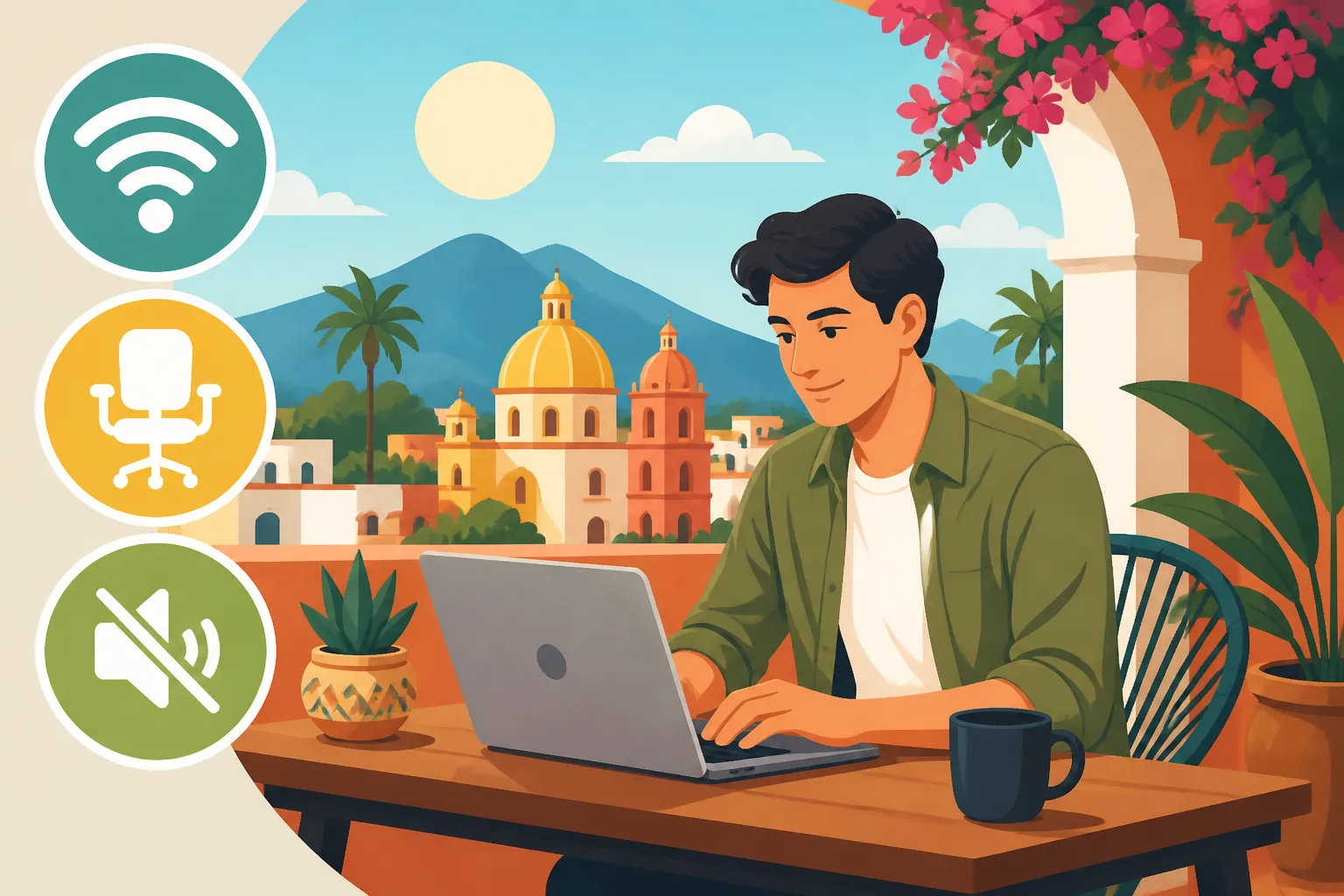
So, what do we really need? It boils down to a few critical elements that form the backbone of a productive remote work setup. First and foremost, rock-solid internet. Not just "internet access," but internet that can handle video conferences, large file transfers, and multiple devices without sputtering and dying. Think fibre optic, if you can get it.
Next, a dedicated and ergonomic workspace. That means a proper desk (not a tiny cafe table), a comfortable chair that supports your back for hours (not a flimsy plastic patio chair), and adequate lighting. Preferably, this isn't just a corner of the bedroom but a separate space or at least a well-defined area that helps you switch into "work mode." And finally, a quiet environment. This is often the hardest to guarantee in Mexico, where celebrations, barking dogs, and street vendors are part of daily life. But finding a spot that minimizes these distractions is crucial for focus. You'll thank yourself when you're not trying to mute your mic every two minutes on a client call. Having the ability to ask very specific questions before you commit, which Booking.com facilitates, can prevent many headaches down the line.
Essential Features for a Productive Digital Nomad Stay
When you’re relying on your accommodation to also be your office, the usual checklist just doesn’t cut it. You need to think like an engineer, an ergonomist, and a monk all at once. Mexico offers an incredible lifestyle, but it also has its own set of challenges, from power fluctuations to local noise, which means you need to be extra vigilant.
The Holy Grail: Reliable Internet and Power
Let's be brutally honest: without reliable internet, you're not a digital nomad; you're just a tourist with a laptop. In Mexico, internet quality can vary wildly, even within the same city. "Free Wi-Fi" on a listing means absolutely nothing about its speed or reliability. You need to know if it's fibre optic, what speeds (upload and download) are generally achieved, and if there are any backup solutions. Power outages, or cortes de luz, can happen, especially during rainy seasons or in smaller towns. Does your host have a UPS (uninterruptible power supply) for the router, or even a generator? This might sound extreme, but I’ve lost hours of work, and even calls with clients, because the power flickered out for an "instant" that actually lasted 30 minutes, resetting my modem and taking ages to reconnect.
One invaluable tip is to seek out properties on platforms like Booking.com where previous guests explicitly mention great Wi-Fi in their reviews. If you can, ask the host directly through the platform's messaging system about internet speeds and power backup. Many hosts who cater to digital nomads will have these details ready because they understand the critical nature of these amenities. Always have a backup plan, too, like a local SIM card with a generous data plan from Telcel or AT&T, just in case. Understanding your options for staying connected is part of the expat journey, and knowing how to get a SIM Card in Mexico will be invaluable.
Your Dedicated Workspace: More Than Just a Table
A true "laptop-friendly workspace" means more than just a flat surface. It means a desk that is tall enough, wide enough, and sturdy enough for your laptop, an external monitor (if you bring one), and your notes. It means a chair that lets you sit upright comfortably for hours without developing back pain – ideally, something with adjustable height and lumbar support. Believe me, trying to balance your laptop on your knees on a futon for a week quickly gets old. Good lighting is also crucial, especially if you're taking video calls or working late. Natural light near a window is a huge bonus, both for your mood and for looking professional on screen.
When browsing on Booking.com, pay close attention to the photos. Does the desk look like a real desk or a small decorative table? Is the chair an office chair or a dining chair? Don't be afraid to zoom in! If the photos don't show a clear workspace, or the chair looks uncomfortable, it's a red flag. Again, this is an excellent point for follow-up questions with the host. A host who genuinely understands digital nomad needs will likely have put thought into this and can describe the setup in detail.
Finding Your Zen: Quiet Zones and Privacy
Mexico is full of life and sound – mariachi music, cohetes (firecrackers), barking dogs, street vendors calling out their wares, construction, and sometimes just really loud neighbors. All of this can be charming when you're on vacation, but when you're trying to concentrate on complex tasks or lead a crucial meeting, it can drive you absolutely batty. Finding a truly quiet space is one of the biggest challenges for digital nomads here. Look for properties that are explicitly advertised as quiet, or those located off main roads, perhaps in an inner courtyard or a residential cul-de-sac.
Private spaces within the accommodation are also important for focus and privacy during calls. A separate room for your workspace is ideal, but a dedicated nook away from the main living area can also work. On Booking.com, you can often filter for "entire homes/apartments" which generally offer more privacy than shared accommodations. Reading reviews for mentions of noise (or the lack thereof) is critical. If multiple reviews mention how peaceful a place is, you're probably onto a winner. Conversely, if past guests complain about street noise or thin walls, steer clear if quiet is your priority.
Leveraging Booking.com for Digital Nomad Success
Now that we know what we're looking for, let's talk about how to find it. Booking.com isn't just for quick hotel stays; it's a powerful tool for digital nomads once you know how to wield its filters and interpret its information. It has become my go-to, time and again, when planning my stays across Mexico, from Mérida to Mexico City.
Mastering the Search Filters
This is where you become a detective. When you start your search on Booking.com, don't just put in your dates and destination. Dive into those filters!
- "Free WiFi": This is a basic filter, but it’s step one. Don’t stop here.
- Property Type: Consider "Apartments," "Serviced Apartments," or even "Villas" if you're in a group, rather than just "Hotels." These often provide more space and dedicated living/working areas.
- Amenities: Look for "Kitchen/Kitchenette" (because coffee is life, and cooking saves money) and, crucially, look for options that might hint at a workspace. While there isn't always a direct "laptop-friendly workspace" filter, some listings might have features like "desk" or "study area" in their descriptions, which you can often keyword search within the listing details.
- Review Score: Always prioritize properties with high review scores (8.0+ or even 9.0+). Satisfied customers are generally a good sign.
- Location: Use the map feature to look at specific neighborhoods. For example, if you're looking for Living in Mexico City: An Expat's Guide to Neighborhoods and Lifestyle, you'd target areas like Roma Norte or Condesa, which are known for their cafes, coworking spaces, and more residential feel, often translating to quieter streets and better infrastructure. Similarly, for Living in Mérida: The Expat Guide to Yucatán’s Colonial Gem, you might focus on the Centro Histórico but look for properties away from main avenues.
Remember, Booking.com's interface might not have a giant "Digital Nomad Friendly" button, but by combining these filters and then digging into the details, you can narrow down your options significantly.
Decoding Reviews and Photos
The reviews section on Booking.com is a goldmine, but you need to know how to pan for gold. Don’t just read the overall score; delve into the comments. Look for specific keywords like "internet speed," "Wi-Fi," "desk," "workspace," "quiet," "noise," or "reliable." A single review mentioning "blazing fast internet" or "perfect for working remotely" is worth its weight in pesos. Conversely, if you see multiple complaints about "slow internet" or "noisy street," that's a hard pass.
Photos also hold clues. As mentioned, zoom in on the desk and chair. Look for power outlets near the workspace. Can you see a router in the picture, or is it tucked away somewhere mysterious? Check the windows – do they face a busy street or a peaceful courtyard? Are there thick curtains that might help with light and noise? Hosts who truly understand digital nomads will often include photos of their dedicated workspace precisely because they know it’s a selling point. If a listing on Booking.com has zero photos of a desk or a clear workspace, it's often a sign that there isn't one worth showcasing.
Beyond the Listing: Communicating with Hosts
This is perhaps the most critical step and where Booking.com really shines with its direct messaging feature. Don't be shy! Before you hit that "Book Now" button, especially for longer stays, send a message to the host with specific questions. Here's a template of what you might ask:
- "Hola! I'm a digital nomad looking for a reliable place to work. Could you please tell me the average internet speeds (download and upload) in Mbps? Is it fiber optic?"
- "Could you describe the dedicated workspace and chair? Is it an ergonomic office chair or a standard dining chair?"
- "How quiet is the area, particularly during work hours (9 AM – 5 PM)? Are there common noise sources like construction or busy streets nearby?"
- "Do you have any backup power solutions for the Wi-Fi in case of a power outage?"
Their response (or lack thereof) will tell you a lot. A quick, detailed, and honest reply indicates a professional host who understands your needs. If they skirt the questions or take days to respond, it might be a preview of future communication issues. By asking these targeted questions through Booking.com, you create a clear record of the host's commitments, which can be useful if any issues arise later.
Strategic Location Choices for Digital Nomads in Mexico
Mexico is a vast country with incredible diversity, and where you choose to set up your nomadic base will significantly impact your experience. From bustling metropolises to serene beach towns, each location has its own rhythm, infrastructure, and unique charm. Making an informed decision is key, and Booking.com lets you explore properties across all these varied environments.
Top Cities for Digital Nomads and their Quirks
Mexico boasts several hubs that have become magnets for digital nomads, each with its own pros and cons.
- Mexico City: The capital is a powerhouse of culture, food, and opportunity. Neighborhoods like Roma Norte and Condesa are famous for their cafes, tree-lined streets, and vibrant expat communities. They generally have excellent internet infrastructure and a plethora of coworking spaces. The downside? Noise. Even in residential areas, Mexico City is always buzzing. However, you can often find quiet oases in inner-courtyard apartments or properties on Booking.com specifically advertised as "tranquil." Keep in mind that Air Pollution Concerns: Living in Mexico City with Allergies or Asthma might be a factor for some.
- Guadalajara: Known as Mexico's "Silicon Valley," Guadalajara offers a more relaxed pace than CDMX but still has a thriving tech scene. Chapultepec and Colonia Americana are popular expat areas with good connectivity and plenty of cafes. It's a great balance for those seeking a city feel without the overwhelming scale of the capital.
- Mérida: A colonial gem in the Yucatán, Mérida is renowned for its safety and slow-paced lifestyle. The historic center offers beautiful architecture, but reliable internet might be slightly more challenging to find outside of modern developments. However, places like Santiago or Santa Ana are gentrifying and often have better infrastructure. Healthcare in Mérida: Quality of Medical Care in Yucatán is also a big draw for many.
- Playa del Carmen / Tulum: For beach lovers, these Riviera Maya towns are immensely popular. You'll find a massive digital nomad community, excellent restaurants, and, of course, stunning Caribbean beaches. However, internet can be less consistent than in major cities, and prices tend to be higher due to tourism. Noise from beach clubs or resorts can also be an issue. When searching Booking.com, ensure you pinpoint locations away from the main party zones if peace is your priority. Living in Playa del Carmen: A Digital Nomad’s Beach Town Guide offers more details.
Each city on Booking.com will show you properties with varying features. Use the map view to see proximity to amenities like grocery stores, gyms, and quiet areas, not just tourist attractions.
Balancing Connectivity, Cost, and Lifestyle
This is the eternal triangle for digital nomads. You usually can't have all three perfectly balanced, but you can find a sweet spot.
- Connectivity: As discussed, this is non-negotiable for work. Always prioritize it. Don't assume a place has good internet just because it's in a major city; always verify. The more remote you go, the higher the risk of unreliable internet.
- Cost: Mexico offers a fantastic cost of living compared to many Western countries, but prices fluctuate greatly by location. Major expat hubs and tourist hotspots will be more expensive. Cost of Living in Mexico: 2026 Comprehensive Guide can help you benchmark expectations. Finding a great deal on Booking.com often involves booking slightly outside the absolute prime season or committing to longer stays.
- Lifestyle: Do you crave vibrant city life, or do you dream of waking up to the sound of waves? Do you need an active social scene, or are you happy with quiet solitude? Your lifestyle choice will dictate your location. Remember that a bustling street might offer great food and culture, but it might not be the quietest for your video calls. It’s all about trade-offs.
Booking.com allows you to filter by price range and easily compare properties across different cities and neighborhoods, helping you visualize these trade-offs before you commit.
The Advantage of Longer Stays for Better Deals
Many digital nomads move every few weeks or months. This is where Booking.com can be particularly advantageous. Often, properties offer significant discounts for weekly or monthly bookings. When you're searching, try adjusting your dates to a full week or month to see if the per-night price drops. Not only does this save you money, but it also gives you more time to settle in, explore your surroundings, and truly test out the accommodation's suitability for remote work. A longer stay also allows you to develop a routine, find your local coffee shop, and generally feel more at home.
Beyond cost savings, longer stays reduce the stress of constant packing and unpacking. It provides stability, which is invaluable when you're managing a busy work schedule. Many hosts on Booking.com are keen to attract longer-term guests, as it means less turnover and more consistent income for them, so they are often more amenable to answering detailed questions about Wi-Fi and workspaces for these extended bookings.
What to Do If Your Stay Isn’t Quite Right (and How Booking.com Helps)
Even with the best planning and meticulous searching on Booking.com, sometimes things don't go exactly as expected. The internet speed might dip, or the noise level could be higher than anticipated. It's Mexico, after all, and things can be… unpredictable. Knowing how to troubleshoot and what recourse you have is part of being a savvy expat.
Troubleshooting Connectivity and Comfort Issues
If you arrive and the Wi-Fi isn't up to snuff, don't panic immediately. First, try restarting the router. Sometimes that's all it takes. If that doesn't work, message your host immediately through the Booking.com platform. They might have a signal booster, a different network, or can contact their internet provider. While you wait, activate your local SIM card data as a hotspot – this is why having a strong local mobile plan is your absolute lifeline. Internet and Mobile Phone Plans in Mexico: Staying Connected as an Expat covers options.
For comfort issues like an uncomfortable chair or inadequate lighting, again, communicate with your host. Sometimes they have alternative chairs in storage, or an extra lamp. If it's truly detrimental to your work and they can't offer a solution, that's when you escalate. But always start with polite, direct communication. Remember, they want you to have a good stay too, and a positive review is valuable.
The Booking.com Resolution Process
This is where booking through a reputable platform like Booking.com provides a safety net that direct bookings sometimes lack. If a key amenity, especially one that was explicitly advertised or confirmed by the host in writing (through the Booking.com messaging system), is significantly different or non-functional, you have a case.
- Document Everything: Take photos or videos of the issue (e.g., a screenshot of a speed test showing abysmal internet, a picture of a broken chair).
- Communicate Through the Platform: Always keep your communication with the host within the Booking.com messaging system. This creates a timestamped record that their customer service team can access.
- Contact Customer Service: If the host is unresponsive or unable to resolve the issue to your satisfaction, contact Booking.com's customer service. Explain the situation clearly, provide your documentation, and reference any messages with the host where specific amenities were promised. They can act as a mediator and, in severe cases, might offer to move you to a different property or provide a refund. This peace of mind is one of the biggest reasons I recommend relying on Booking.com for important work-related stays.
Local Alternatives and Backup Plans
No matter how well you plan, it's always smart to have a backup. If your accommodation proves unsuitable, or if you simply need a change of scenery for a few hours, know your local options. Many cities in Mexico have excellent coworking spaces that offer daily or weekly passes. These are often great places to meet other digital nomads and usually have super-fast internet, dedicated desks, and a professional environment. Cafes with Wi-Fi are also plentiful, though they might not offer the quiet you need for calls.
And sometimes, despite your best efforts, a place just doesn't work out. Knowing you can switch to another Booking.com property, or even a different type of accommodation, gives you flexibility. Don't be afraid to cut your losses if a place is truly hindering your productivity and well-being. Your mental health and work performance are worth it.
| Feature for Digital Nomads | How Booking.com Helps You Find It | Why It Matters | Potential Mexican Challenges |
|---|---|---|---|
| Reliable High-Speed Wi-Fi | "Free WiFi" filter, explicit host messages, detailed reviews mentioning "fast internet." | Essential for video calls, large uploads, consistent work. | Variable speeds, outages, shared networks. |
| Dedicated Ergonomic Workspace | Zoom in on photos, direct message host for chair/desk details. | Prevents back pain, improves focus, professional appearance. | Small decorative tables, uncomfortable chairs. |
| Quiet Environment | Filter for "entire home," read reviews for "quiet" mentions/noise complaints. | Crucial for concentration, private calls, mental well-being. | Street noise, pets, construction, local celebrations. |
| Consistent Power Supply | Ask host about backup power (UPS, generator) via message. | Avoids lost work, crucial for consistent connectivity. | Occasional power fluctuations, cortes de luz. |
| Safe & Convenient Location | Use map view, filter by neighborhood, check proximity to amenities. | Reduces commute stress, enhances lifestyle, access to services. | Safety variations by colonia, traffic congestion. |
| Kitchenette / Cooking Facilities | Filter for "kitchen" or "kitchenette." | Saves money, allows for healthy meal prep, coffee on demand. | Not always standard in hotel rooms. |
Concluding Thoughts for the Working Wanderer
Navigating the world of digital nomad accommodations in Mexico can feel like a game of chance, but it doesn't have to be. By understanding your core needs – particularly those related to Wi-Fi, workspace, and quiet – and by leveraging the powerful features and customer service of platforms like Booking.com, you can drastically improve your odds of finding a truly fantastic and productive home away from home.
Don't settle for "good enough" when your livelihood is on the line. Be proactive, ask the right questions, and use every tool at your disposal. Mexico offers an incredible backdrop for remote work, full of enriching experiences and vibrant culture. With a little extra effort in your search, you can truly enjoy the best of both worlds: a thriving career and an inspiring expat life. Start your next adventure with confidence by using Booking.com for your digital nomad needs, and enjoy the journey!
Disclaimer
Please remember that while I strive to provide accurate and up-to-date information, the world of travel and immigration in Mexico can change rapidly. Economic figures, specific property availability, and local regulations can vary. Always double-check current requirements and details with official sources or trusted professionals before making any significant decisions. This guide is for informational purposes and reflects general experiences and advice.