Keeping Your Home Number Active While Using an eSIM in Mexico
One of the trickiest things about moving to or traveling extensively in Mexico is figuring out how to stay connected without breaking the bank, all while still keeping a lifeline to your home country. You want cheap local data for WhatsApp and Waze, but you absolutely cannot, under any circumstances, lose access to that vital phone number back home for banking, authentication codes, or urgent calls from family. This guide is here to walk you through the modern solution: how to effortlessly keep your home number active while enjoying affordable, fast data in Mexico using an eSIM.
Disclosure: This post may contain affiliate links. We may earn a commission at no extra cost to you if you make a purchase through these links. Read full disclosure.
The Universal Expat Phone Conundrum: Why Keep Your Home Number?
Believe me, I’ve been there. That initial excitement of arriving in Mexico, only to be hit with the cold dread of realizing your phone plan back home is suddenly irrelevant – or worse, about to cost you a small fortune in roaming charges. It’s not just about keeping up with distant friends; it’s about a million little administrative ties that bind you to your country of origin, ties that are almost always linked to your primary phone number.
The Fear of Losing Connectivity and Authentication
Let’s be honest, in this day and age, your phone number is practically your digital passport. For most of us, leaving home means navigating a maze of two-factor authentication, banking alerts, and secure logins, all of which rely on that familiar string of digits. Imagine you’re trying to access your online banking to Transferring Money Internationally: Best Ways to Send Money to/from Mexico If you’ve switched out your home SIM for a local Mexican one, suddenly that SMS verification code isn’t coming through. Panic sets in, right? It’s happened to the best of us.
Or what about those important calls from family members who don't have WhatsApp? Or that urgent text from your landlord back home? Disconnecting entirely from your home number for weeks or months on end can lead to all sorts of complications and unnecessary stress. Many of the banking institutions you rely on will simply not send SMS to an international number, even if you update it. They’re designed to protect you, but in this specific expat scenario, they become a huge pain. This is a common and legitimate frustration, and it's why having a strategy to maintain that link is crucial. You might think you can get by with just a local Mexican number, but as soon as you hit that "send code" button for your home bank, you'll instantly regret it. Navigating the world of Banking in Mexico: Complete Guide for Foreigners is complex enough without losing access to your old accounts.
Costly Roaming vs. Local SIMs vs. eSIMs: A Comparison
Historically, expats and long-term travelers had a few unappealing options:
- Expensive International Roaming: You keep your home SIM in, and your phone company charges you an arm and a leg for every text, call, and megabyte of data. This is great for short trips but completely unsustainable if you're staying longer than a week. We're talking hundreds, sometimes thousands, of dollars if you're not careful.
- Local Physical SIM Cards: You pop out your home SIM, store it somewhere safe (and hope you don't lose it), and insert a new Mexican SIM from providers like Telcel, AT&T Mexico, or Movistar. This gives you affordable local data and calls, but you lose access to your home number. Any call or text to your home number won't reach you, and you can't get those crucial authentication codes. Plus, if you need to travel frequently back and forth, constantly swapping SIMs is a hassle and can damage the tray. This is where options like Getting a SIM Card in Mexico (Telcel, AT&T, Movistar) come into play, but they don't solve the home number problem.
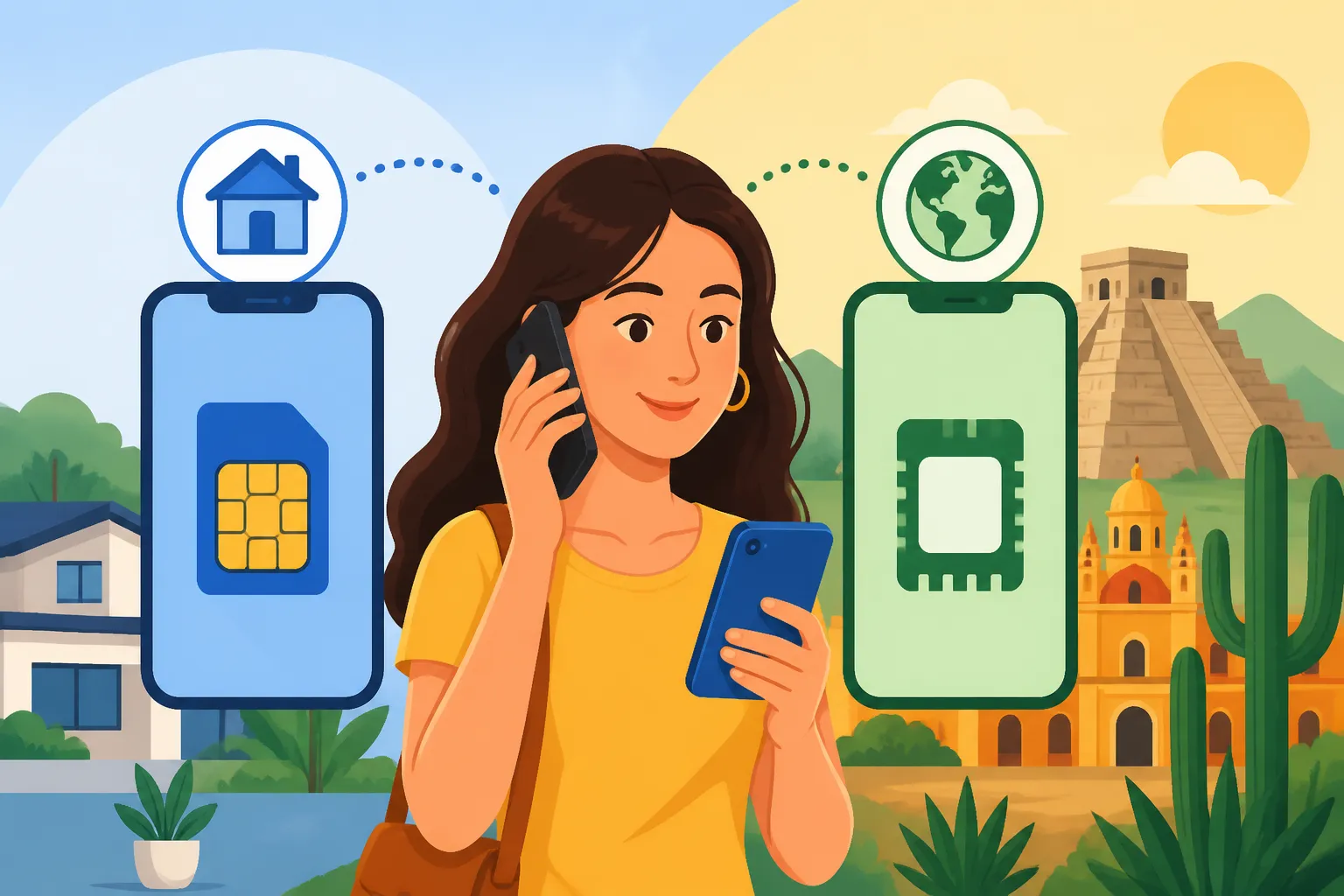
Enter the eSIM. This little technological marvel has changed the game entirely. It allows you to have a digital SIM profile alongside your physical SIM card. Think of it as having two phone lines in one device. This means you can keep your home country's physical SIM card in your phone, letting you receive calls and texts to that number, while simultaneously using a separate, affordable eSIM for all your data needs in Mexico. It's the best of both worlds, providing the connection you need for life in Mexico without sacrificing your essential ties back home.
Introducing eSIM Technology: Your Dual-Number Solution in Mexico
For those of us who remember the days of fumbling with tiny SIM cards and paperclip tools, eSIM technology feels like pure magic. It’s not just a convenience; it’s a genuine solution to a pervasive expat problem. No more agonizing choices between staying connected locally or keeping your home ties.
How eSIMs Work with Your Existing Phone
An eSIM, or embedded Subscriber Identity Module, is essentially a digital SIM card. Instead of a tiny chip you physically insert, it’s built directly into your phone’s hardware. Modern smartphones (most iPhones since the XR, Samsung Galaxy S20 series and newer, Google Pixels since the 3, and many others) support eSIM functionality alongside a traditional physical SIM card slot.
This "dual SIM" capability is the key. Your phone can manage two separate mobile network profiles simultaneously. You can have your physical SIM from your home country (say, a US or Canadian number) providing basic connectivity for incoming calls and texts (often at minimal cost if you're just receiving), while your eSIM handles all your data heavy lifting here in Mexico. You’re essentially telling your phone, "Use the eSIM for internet, but keep my home number active on the physical SIM for emergencies and verification codes." It’s incredibly efficient and seamless once you get it set up. The beauty is you don't have to remove anything from your phone; you simply activate a digital profile.
Airalo: Your Go-To eSIM Provider for Seamless Data in Mexico
When it comes to picking an eSIM provider for your Mexican adventure, I highly recommend Airalo. Why Airalo? Because they specialize in providing data-only eSIMs for travelers and expats in countries all over the world, including Mexico. They're not trying to replace your entire phone service; they're solving the data problem affordably and efficiently.
Airalo offers various data packages for Mexico, ranging from small bundles for short trips to larger plans for longer stays. Their plans are usually data-only, which is perfect for our scenario. You'll get high-speed internet, allowing you to use navigation apps, stream music, browse the web, and stay in touch via messaging apps like WhatsApp, all without touching your home country’s expensive roaming data. The activation process is straightforward through their user-friendly app, and you can top up your data plan whenever you need more, right from your phone. This makes Airalo an ideal partner for expats who want reliable, cost-effective data while keeping their existing number. With Airalo, you're buying peace of mind and connectivity, not just data. The upfront pricing means no surprise bills, which is a huge relief when you’re managing your Cost of Living in Mexico: 2026 Comprehensive Guide.
Step-by-Step: Keeping Your Home Number Active with an eSIM
Alright, let's get down to brass tacks. Setting this up isn't rocket science, but a little planning goes a long way. Follow these steps, and you’ll be enjoying dual connectivity in no time.
Preparing Your Phone Before You Arrive in Mexico
Before you even board that plane, there are a couple of crucial things to check off your list:
- Is Your Phone Unlocked? This is non-negotiable. Your phone must be "unlocked" from your home carrier to accept an eSIM from another provider like Airalo. If you bought your phone directly from a carrier (e.g., AT&T, Verizon, Vodafone, Bell), it might be locked to their network. Contact your carrier and request an unlock. They usually have a policy for this, often after your contract is paid off. Don't wait until you're in Mexico to discover this!
- eSIM Compatibility Check: Most newer smartphones support eSIMs, but it's always good to double-check. A quick Google search for "eSIM compatible phones [your phone model]" will tell you.
- Download the Airalo App: Find the Airalo app in your phone's app store (Apple App Store or Google Play Store) and download it. You can browse plans and even purchase one before you arrive, but I recommend waiting to activate it until you’re closer to or already in Mexico, to maximize its validity period.
- Understand Your Home Plan's Roaming: While you'll be using Airalo for data, your home SIM will still be active for calls and texts. Check with your home carrier if they have any free incoming text allowances when abroad, or what the cost is for incoming calls. Often, incoming texts are free or very cheap, and incoming calls might be a per-minute charge. This information helps you decide whether to use Wi-Fi calling more often.
Setting Up Your Airalo eSIM for Data
Once you’re ready, installing your Airalo eSIM is usually a breeze:
- Purchase Your Airalo Plan: Open the Airalo app. Select "Mexico" as your destination. You'll see various data packages. Choose one that suits your needs – consider how long you'll be in Mexico and how much data you typically use. For instance, a 5GB plan for 30 days might be perfect for a digital nomad, while a 1GB plan for 7 days works for a short vacationer.
- Install the eSIM: After purchasing, Airalo will guide you through the installation. This usually involves either:
- Direct Installation: In the Airalo app, tap "Install eSIM" and follow the prompts. Your phone's settings will automatically open.
- QR Code Scan: You might be given a QR code to scan. Go to your phone's settings (usually "Cellular" or "Mobile Data"), look for "Add eSIM" or "Add Data Plan," and select "Use QR Code."
- Manual Entry: Sometimes, you'll get a manual code to input.
- Regardless of the method, it's pretty intuitive. Just follow the on-screen instructions carefully. Give your new Airalo eSIM a descriptive name, like "Mexico Data" or "Airalo MX," so you can easily identify it.
- Enable the eSIM: Once installed, make sure your new Airalo eSIM is turned ON in your phone's cellular settings.
Configuring Your Phone to Use Both Numbers
This is the critical step to ensure your home number stays active while you use Airalo for data.
- Set Your Default Line: In your phone's cellular/mobile data settings, you'll now see two lines: your primary home physical SIM and your new Airalo eSIM.
- For Data: Designate your Airalo eSIM as your primary line for "Cellular Data" or "Mobile Data." This is what will give you internet access in Mexico.
- For Calls/Texts: Set your home physical SIM as your "Default Voice Line" and "Default SMS Line." This means any calls or texts you send will default to your home number (though you can change this on the fly when dialing). More importantly, it keeps your home number active to receive calls and texts.
- Manage Incoming Calls & Texts: Your phone will automatically receive calls and texts to both numbers. When someone calls your home number, your phone will ring just as it always would, even if you’re using Airalo for data. You can then decide to answer or let it go to voicemail, just like normal. For texts, they’ll arrive in your regular messaging app.
- Data Roaming for Home SIM OFF: Make sure that "Data Roaming" is OFF for your home physical SIM. This prevents your home carrier from racking up charges for data usage. Your Airalo eSIM handles all your data, and its data roaming will be enabled by default within Mexico as it's a local service.
By following these configuration steps, you've successfully created a system where your home number remains a fully functional communication channel for calls, texts, and critically, those two-factor authentication codes, while all your internet usage runs through your affordable Airalo eSIM. It's truly a game-changer for anyone spending time in Mexico.
Practical Tips for Maximizing Your Dual-Number Setup
You’ve got your dual-SIM setup humming along, with your Airalo eSIM handling data and your home number ready for those crucial calls and texts. Now, let’s make sure you’re using it like a pro to save money and stay effortlessly connected.
Understanding Data vs. Voice for Your Home Number
The core of this strategy is separating your data usage from your voice and text lines. Your Airalo eSIM is your data workhorse in Mexico. This means when you’re browsing the web, using social media, getting directions with Google Maps, or even making calls via internet-based apps like WhatsApp, FaceTime Audio, or Google Voice, you’re using your Airalo data.
Your home physical SIM, on the other hand, is primarily there for receiving calls and texts directly to that number. While you can make calls and send texts using your home number, be very mindful of the costs. Even if incoming texts are free or cheap, outgoing ones might be pricey. Outgoing calls can be very expensive. So, for most day-to-day communication, especially anything outgoing, you'll want to lean heavily on internet-based options. Always remember to check your home carrier’s international rates for outgoing calls and texts if you plan to use it for anything other than receiving. This awareness will dramatically help with Managing Your Money in Mexico: Budgeting, Saving, and Currency Tips.
Leveraging Wi-Fi Calling and Messaging Apps
This is where you unlock even more value from your setup.
- Wi-Fi Calling: Many modern smartphones, when connected to Wi-Fi, can route calls and texts through the internet using your home number. This means that if you’re in a coffee shop, at home, or anywhere with a good Wi-Fi connection, you can make and receive calls and send texts using your home number without incurring international roaming charges. This is a fantastic backup for those times you absolutely need to make an outgoing call to your home country using your specific number. Check your phone settings and your home carrier's website to see if Wi-Fi calling is enabled and how it works for your device. It often appears as "Wi-Fi Call" next to your carrier name on your phone screen.
- Messaging Apps: Apps like WhatsApp, Telegram, Signal, and even FaceTime Audio are your best friends in Mexico. Everyone uses WhatsApp here, so it’s the primary way to communicate with local contacts, service providers, and new friends. Since these apps use data, they’ll seamlessly run off your Airalo eSIM data plan. This completely bypasses the need for expensive international calls or texts for most of your communication. You can even use your home number to set up WhatsApp, maintaining that continuity, and then simply use your Airalo data to power it.
Monitoring Usage and Topping Up Your eSIM
Even with the best plans, data can disappear faster than a plate of tacos at a fiesta. It's wise to keep an eye on your usage.
- Airalo App: The Airalo app itself is your best tool for monitoring your data consumption. It will show you how much data you have left and when your plan expires.
- Phone Settings: Your phone’s cellular data settings will also show you data usage per app, which can help you identify any data hogs.
- Topping Up: When you’re running low on Airalo data, or your plan is about to expire, it’s incredibly easy to top up directly through the Airalo app. You can purchase another package instantly, ensuring uninterrupted connectivity. No need to hunt for a store, deal with language barriers, or swap out physical cards. This convenience is a huge advantage, especially when you're out exploring Mexico and relying on your phone for navigation or last-minute plans. Remember, staying connected is key to everything from coordinating with friends to finding Emergency Medical Services in Rural Mexico: Challenges and Tips for Expats.
Here's a quick comparison of your options:
| Feature | Expensive International Roaming (Home SIM) | Local Physical SIM (Mexican Provider) | eSIM (e.g., Airalo) + Home Physical SIM |
|---|---|---|---|
| Data Access | Yes, very expensive | Yes, affordable | Yes (eSIM), affordable |
| Home Number Active | Yes | No (unless dual SIM, but still data issue) | Yes (Physical SIM), active for calls/texts |
| Local Calls/Texts | Very expensive | Yes, affordable | Via data apps (WhatsApp) or Wi-Fi calling |
| 2FA/Banking Codes | Yes | No | Yes (Physical SIM) |
| Ease of Setup | No setup, just arrive | Requires purchasing/swapping SIM in Mexico | Requires app install/digital activation |
| Cost | Very High | Low | Low (eSIM data) + minimal for home SIM |
| Flexibility | Low | Moderate | High |
| Best For | Very short trips (days) | Short-term data/local number only | Expats, long-term travel, digital nomads |
Disclaimer
Please note that while this guide provides comprehensive information based on current practices in Mexico, telecommunication policies, immigration laws, and specific provider offerings can change. Always verify the latest requirements and terms with your specific mobile carrier and eSIM provider. This information is for general guidance only and not legal or professional advice.